TokNav InformationTechnology CO., LTD.
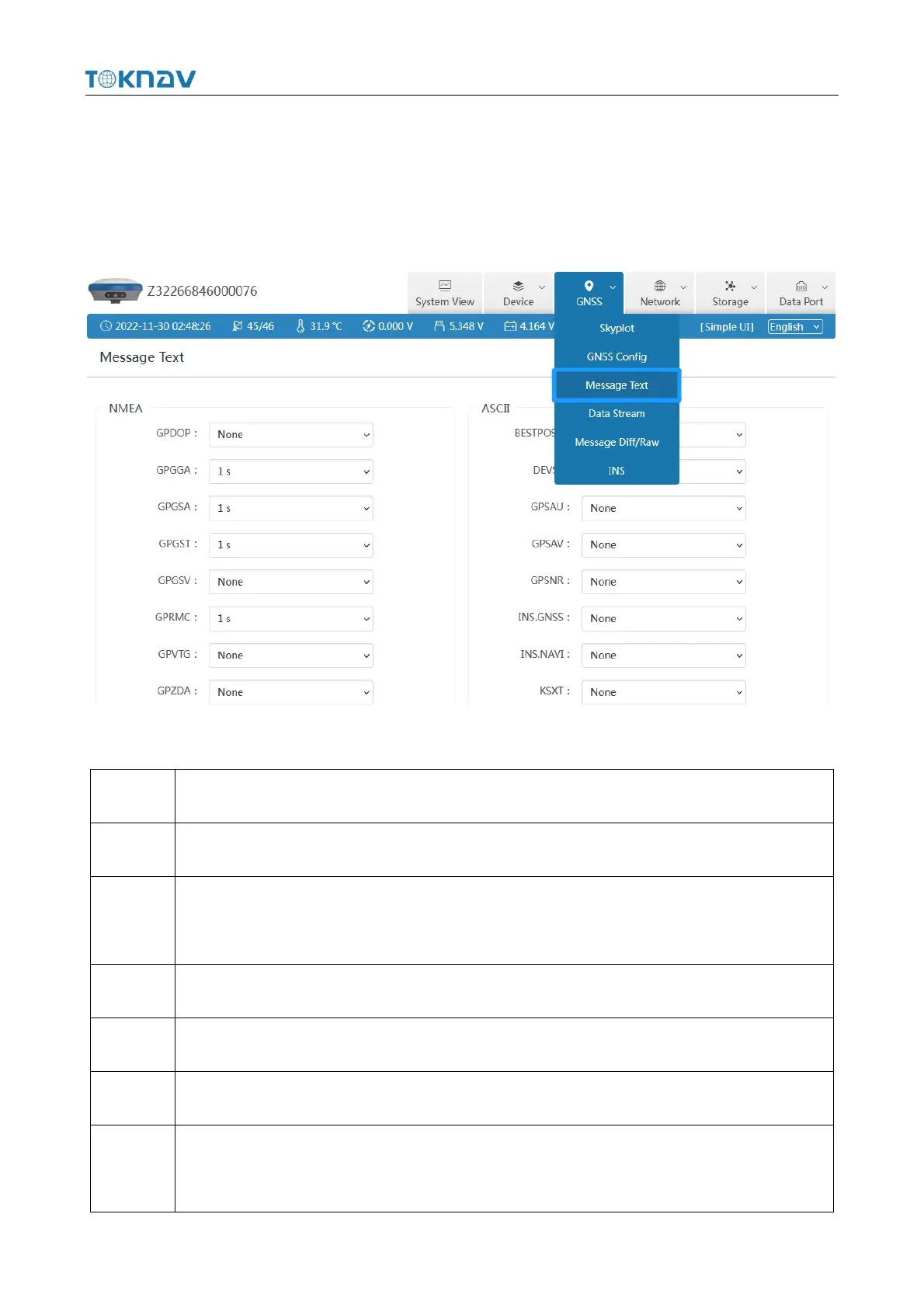
3.9 Message Text
You can set the type and frequency of output data in text format, as shown below.
After configuration, you can check whether there is corresponding text data output in
3.4 of this section.
The following are the formats of several common message text:
$GPGGA,<1>,<2>,<3>,<4>,<5>,<6>,<7>,<8>,<9>,M,<10>,M,<11>,<12>*hh
UTC time, hhmmss (hour minute second) format, 8 hours different from Beijing time
Latitude ddmm.mmmm (degrees and minutes) format (the previous 0 will also be
transmitted)
Latitude Hemisphere N (Northern Hemisphere) or S (Southern Hemisphere)
Longitude dddmm.mmmm (degrees and minutes) format
Longitude Hemisphere E (East Longitude) or W (West Longitude)
GPS status: 0=no positioning, 1=single point positioning, 2=SBAS differential
positioning, 4=RTK fixed solution, 5=RTK floating point solution, 6=inertial navigation



 To Next Page