4.4 Import Data
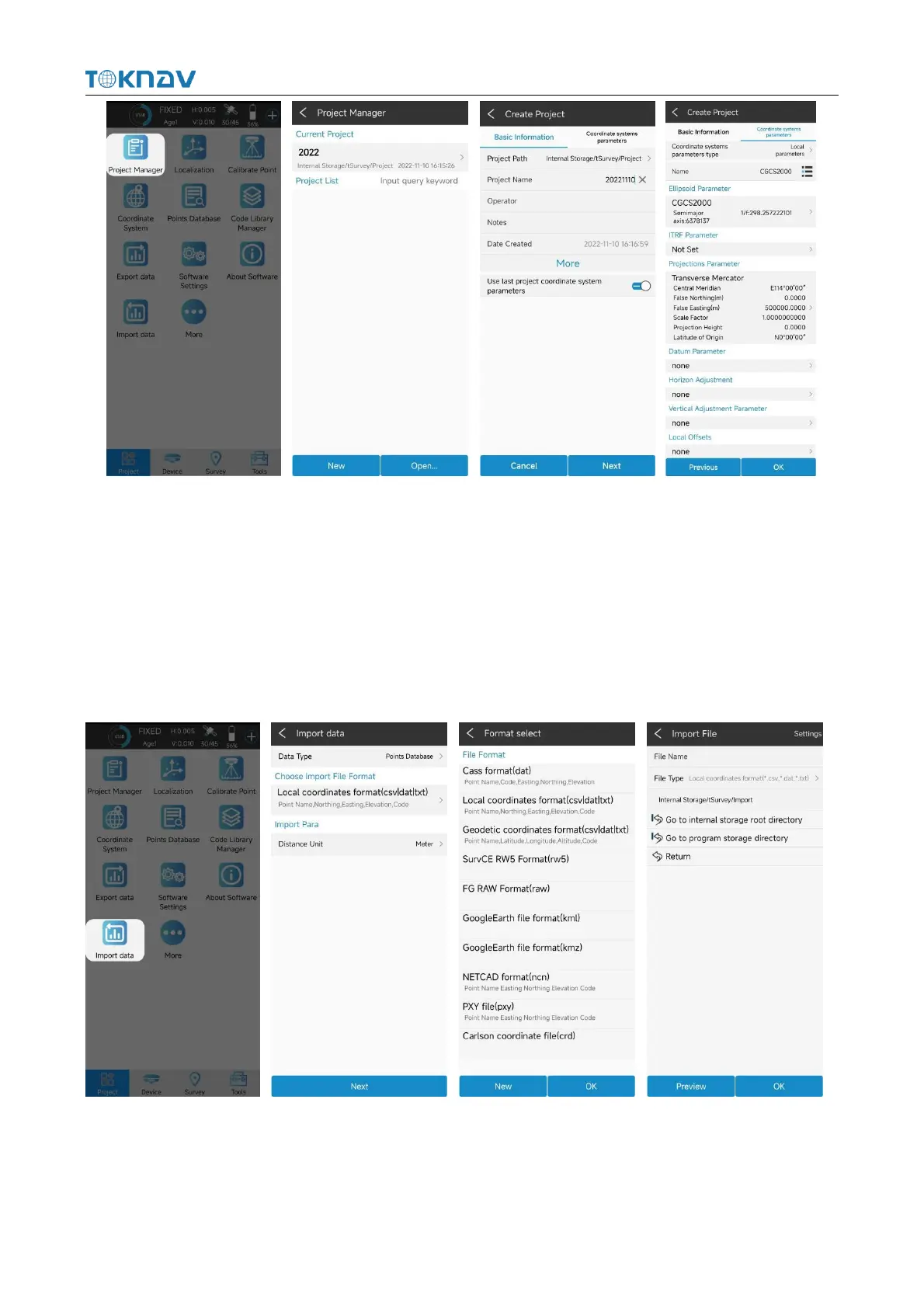
Actions: Project → Import Data
Copy the data file to be imported to the internal storage of the notebook, select
the data type, length unit, angle format and data format, click Next, go to the storage
directory, select the corresponding file, and click OK.
4.5 Export Data
Operation: Project→ Export Data



 To Next Page