@ToolkitRC 2021
Start charging
After setting the battery voltage and current,
connect the battery. After the charger detects that the
voltage between the main port and the balance port
matches, it will automatically start charging.
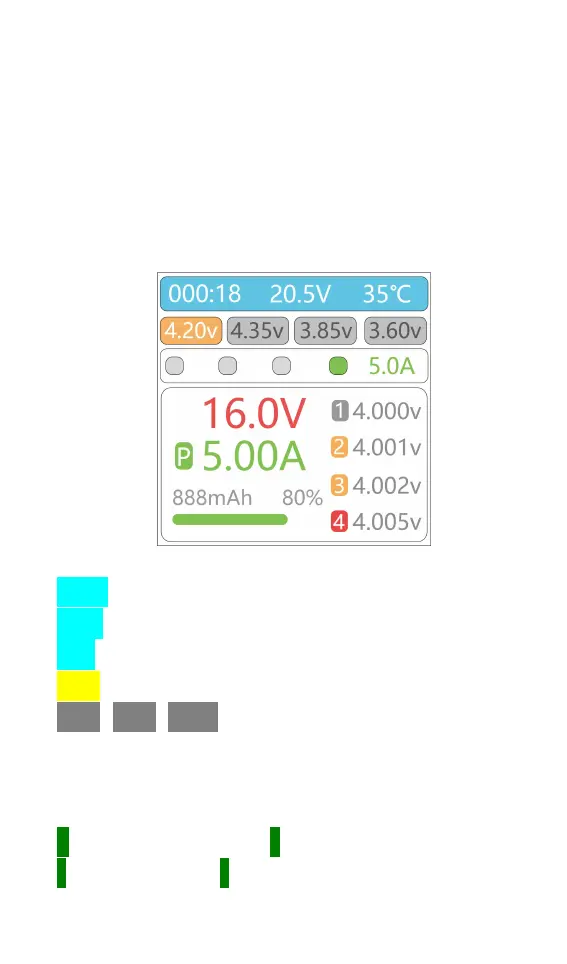
Display as follows:
Display content description:
000:18:Charging time.
20.5V:Input voltage.
35
℃
:Charger temperature.
4.20v:The selected cell type cutoff voltage
4.35v 3.85v 3.60v : Other cell cutoff voltages (not
selected).
16.0V:Current battery voltage.
5.00A:Current charging current.
C:Current limit sign. P:Power current limit,
T:temperature limit, F:The battery or one of the cells is



 To Next Page