@ToolkitRC 2021
Terminal voltage setting and
manual calibration
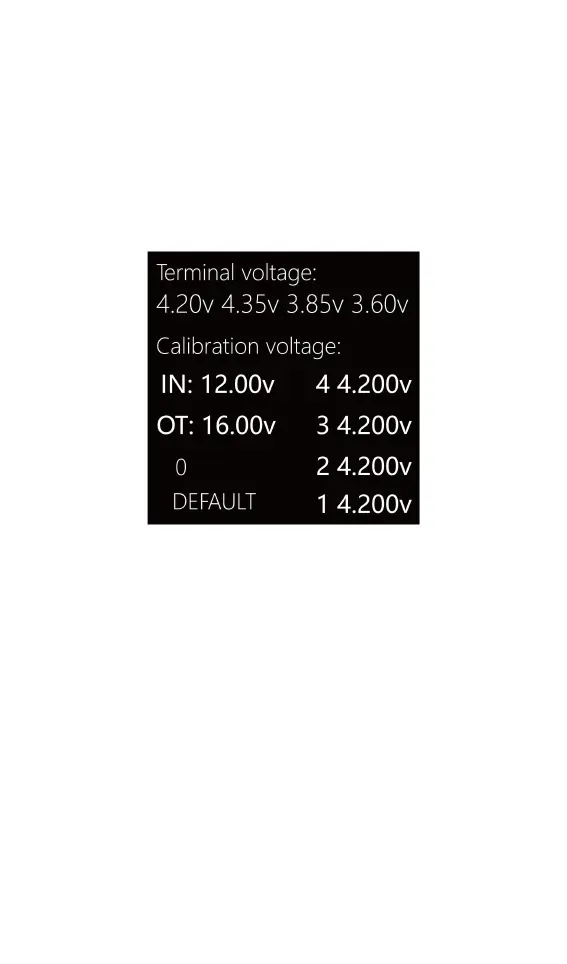
Before connecting to the power supply, press and
hold [Voltage/Current] key to enter the calibration mode,
as shown below:
Terminal volte: The terminal voltage after the battery is
fully charged. Accurate to +/- 10mV.
Calibration voltage: Battery calibration voltage, if the cell
voltage readings appear to be incorrect, use a
high-quality voltage meter to measure the actual
voltage, then set this value to be the same as the meter.
DEFAULT: Restore to factory default.



 To Next Page