@ToolkiRC 2022
Quick start
1,Connect a 7-28V or AC 100-240V power supply or
input battery to the input port on the back of the M7AC.
2,The display shows the boot logo and stays for 2
seconds.
3,A welcome sound (voice pack dependent) is played
simultaneously.
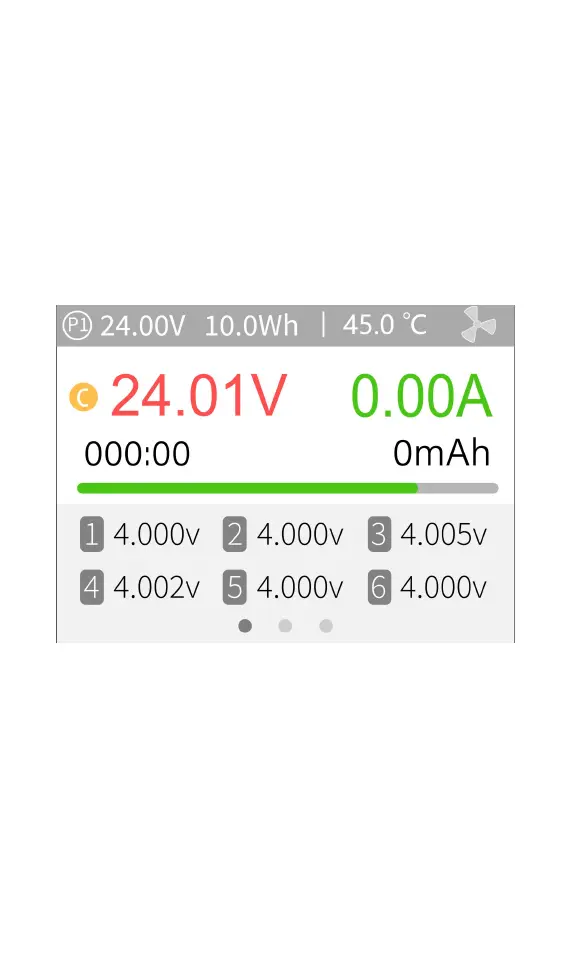
4,After booting up, the screen enters the main
interface as shown below:
5,Press and hold [Exit] to enter the auxiliary function
interface.
6,Scroll [Scroll Wheel] to switch between pages.
7,With the charger idle, short press [OK] to set the
charging parameters. Press [OK] during the charging
process to adjust the amperage or stop the charge
process.
8,With the charger idle, Press and hold [OK] to enter
the system setting interface.
9,Short press [Exit] or return to the previous interface.



 To Next Page