Ver 1.1, 30 August 2018 3
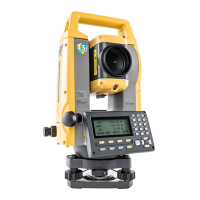
11. Connect the FC-5000 data collector to the GM-55 Total Station:
a. Tap Connect icon.
b. Under the Connections window:
Tap Optical radio button.
Select GM-55 TS configuration.
Select/check: Connect to last used BT device
Select/check: Prompt for connection at startup
Tap [Connect].
****** For initial connection procedure *************************
Tap and select the GM-55 bluetooth device in the device list.
Tap [Select].
Require PIN: uncheck
Tap [Connect].
****** When connected, the Total Station will beep and the bluetooth symbol should
appear in the on-board screen. The FC-5000 will also make a sound – indicating a
successful connection – and return to the main menu. *************************************
12. From the main menu, create a new survey job:
a. Tap Job icon.
b. Tap New Job icon.
c. Enter the following:
Name: <user-defined>
Created by: <user-defined>
Comments: <user-defined>
j. Tap the accept/home screen icon near the top-right.
13. Enter data for the first occupation (HUB) point:
a. Tap Edit icon.
b. Tap Points icon.
c. Tap [Add] near the bottom-right.
d. Under the Point tab, enter the following before tapping the checkmark icon near the
top-right:
Point: 1
Code: IP
North: 5000.000
East: 5000.000
Elevation: 0.000
e. Close the Points: Ground window by pressing the home screen icon near the top-right.



 To Next Page