51
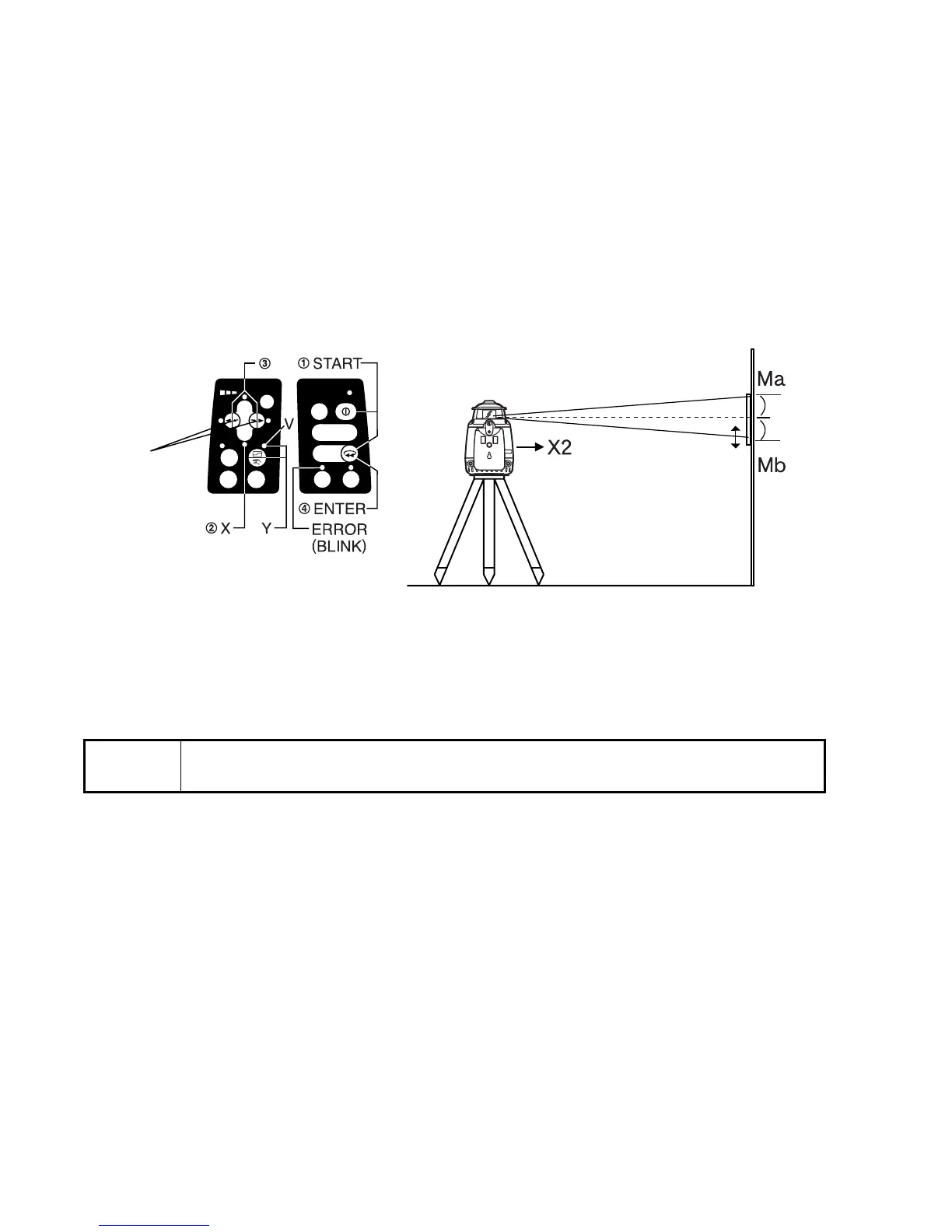
2 By pressing the right or left Alignment Control pad, move the X2 (Mb) laser beam up or
down until its centered between marks Ma and Mb.
3 When the beam is precisely centered, press the [ENTER] key. The [X] LED will flash.
4 When the flashing stops, the X axis calibration adjustment is made and power is turned
off automatically.
For Y axis calibration, turn the unit as instructed in step 1 above then press the X/Y Axis
Selection pad. Confirm that the [Y] LED is lit, then repeat steps 2 to 4 for the Y axis.
Repeat the checking procedure to confirm proper calibration has been made.
Note
• If the calibration is greater than the adjustment allows, the error LED will
start flashing. If this occurs, contact your Topcon dealer.
Laser beam
up or down
Center
position



 To Next Page