20 Preference Settings
tion to 576P, the digital receiver will present even high defini-
tion programmes in resolution of 576. On the contrary, if you
set it to 1080I, the digital receiver will present even standard
definition programmes in resolution of 1080.
It is recommended to set it to Auto if you have a high definition
television. With that setting the digital receiver will present a
programme as it is without any resolution conversion. While
watching television you can change the resolution with the
V.Format button. Whenever you press it, the video resolution
is changed in turn.
NOTE
You can enjoy only standard definition video with the Com-
posite video output (AV-OUT VIDEO).
4.1.2 Television aspect ratio
If you have a wide-screen television, set the TV Aspect Ratio
option to 16:9.
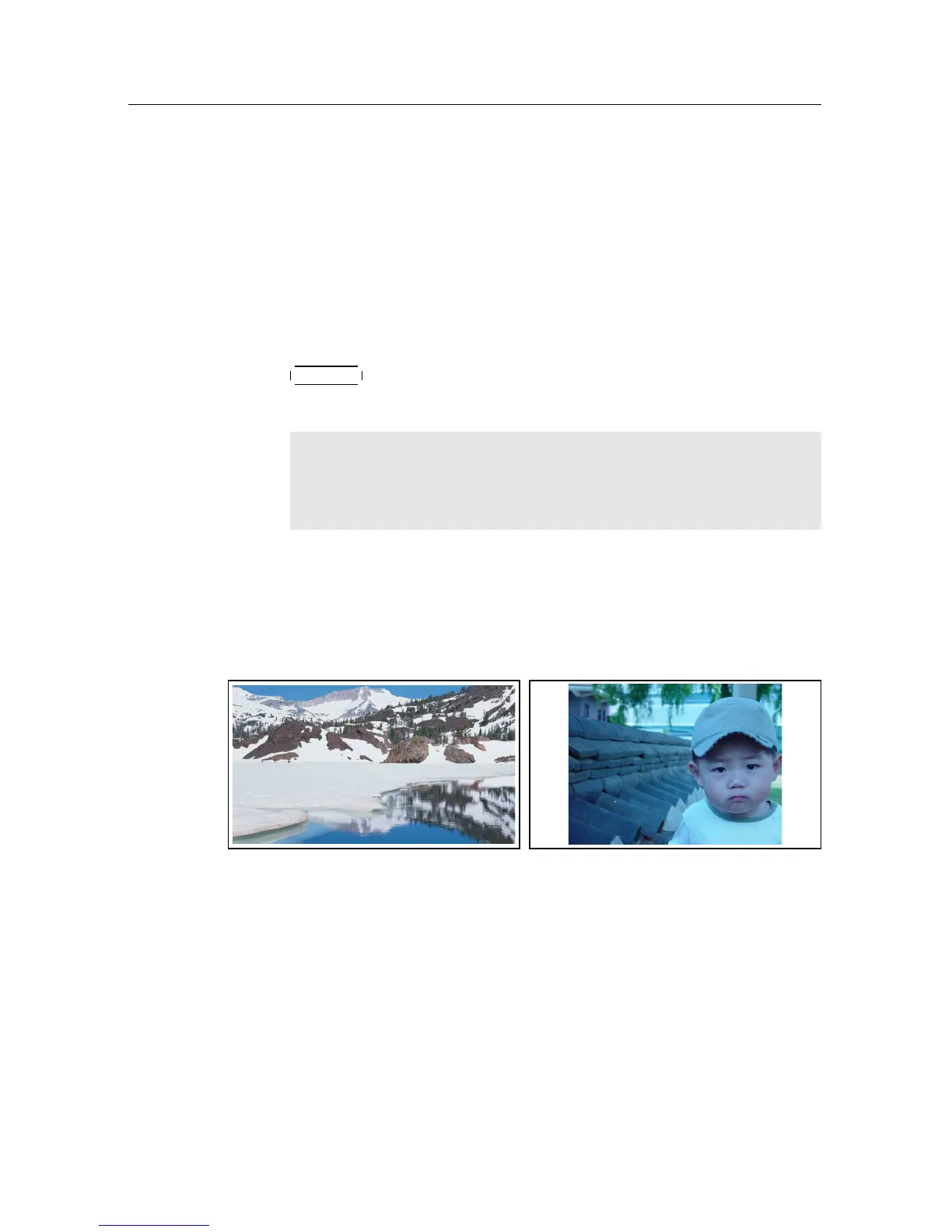
You can enjoy both wide-screen programmes and normal-
screen programmes with your wide-screen television as the
above figures show. To watch normal-screen programmes
in full screen like the left figure, set the Display Format option
to Full. Normal-screen pictures then will be inflated to fit to
the width of the wide screen. Otherwise, to watch them in the
original ratio like the right figure, set it to Center. If you have
a normal-screen television, set the TV Aspect Ratio option to
4:3.















 To Next Page