4 Preference Settings
4.6 Options for on-screen display 27
If you want to enjoy more levels of playback speed, set the Trick
Mode Level option to 2x, 4x, 8x, 16x, 32x, 64x; otherwise, set
it to 4x, 16x, 64x.
NOTE
You can enjoy video files such as DivX with the digital re-
ceiver. However, the above options might not be effective
depending on the video files to be played. For detailed de-
scription on how to play back a video file, refer to §8.4.
4.6 Options for on-screen display
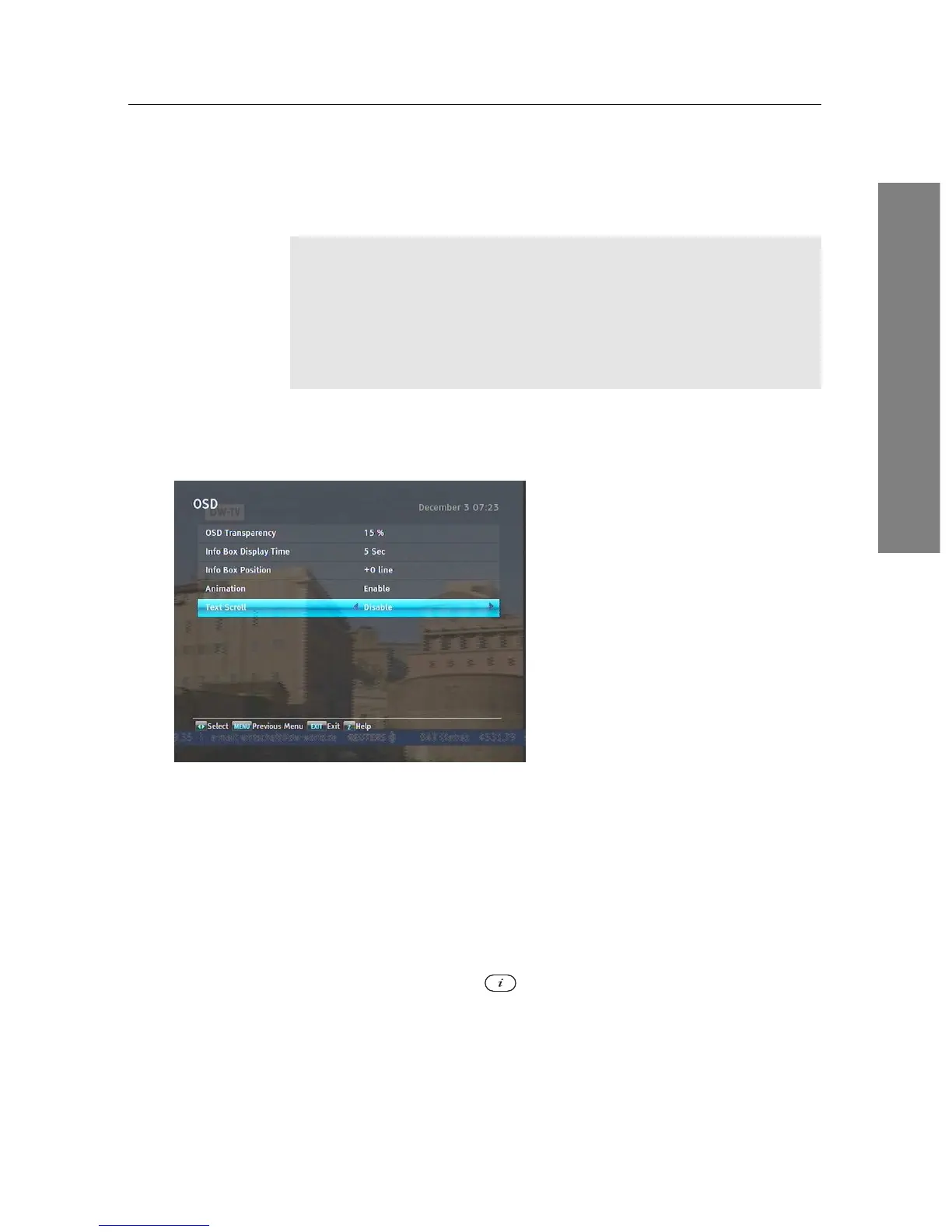
To set the options for the on-
screen display (OSD), select the
Settings > OSD menu. You
should see a screen like the left
figure.
To adjust the transparency level of the OSD, set the OSD Trans-
parency option as you desire. Its available range is 0 to 50 per-
cent.
To adjust the display time of the information box, set the Info
Box Display Time option as you desire. Its available range is
1 to 30 seconds. If you set this option to No Info Box, the in-
formation box will not be displayed when you switch services.
However, pressing the button will display the information
box. If you set this option to Never Hide, the information box
will always be displayed. For the information box, see §5.2.3.
In addition, you can raise or lower the position of the infor-
mation box. Set the Info Box Position option as you desire. Its















 To Next Page