22-EN T75 DES
Menu4 Further door settings
Menu
item
Entry Selection
49 Motor duty cycle
0 Without limitation (default setting)
1 Geared motor 5.24 (25min / 35%)
2 Geared motor 5.24 WS (25min / 30%)
3 Geared motor 9.15, 9.20, 9.24 (25min / 60%)
4 Geared motor 9.24 WS (25min / 20%)
5 Geared motor 14.15 (25min / 60%)
- - Exit menu
Menu5 Various settings
Menu
item
Entry Selection
51 Function of external command transmitter J1
0 Off (default setting)
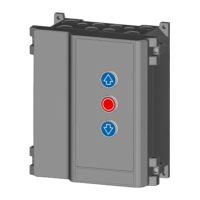
1 Three-button control
2 Pulse generator open-stop-close function
53 Service interface
0 Off (default setting)
1 Service
- - Exit menu
Menu6 Radio
Menu
item
Entry Selection
60 Programming the start button on the hand-held
transmitter
62 Programming the light button on the hand-held
transmitter
63 Deleting radio codes
Press for 5s
- - Exit menu
Menu9 Service menu
menu
item
Entry Selection
90 Selection of the door maintenance cycle
0 No service interval (default setting)
1 1000 cycles
2 4000 cycles
3 8000 cycles
4 12000 cycles
5 16000 cycles
6 20000 cycles
7 25000 cycles
8 30000 cycles
91 Cycle counter output door cycles
96 Operating hours counter output – hours
97 Error memory output hours – error code
98 Software version output – serial number – creation
date
99 Reset to default setting
Press for 5s
- - Exit menu
7 Operation
Safety instructions for operation
Observe the following safety information for operation:
• The operator must be instructed on how to handle the
control or the controlled door system and be familiar with the
applicable safety regulations.
• Comply with the accident prevention regulations and
general safety regulations relevant to the field of application.
• Check the control and the door system connected for visual
defects before use.
• If you detect any safety-relevant deficiencies, decommission
the door system and report all defects to the responsible line
manager.
• Have the deficiencies remedied immediately.
• If the operational behaviour of the door system changes,
switch the system off immediately. Recommissioning must
be prevented. Notify the operating company of the change.
CAUTION
Crush hazard and risk of being struck by the
closing door
Persons can be struck when the door is closed
or collide with the door.
• The door must be visible from the place of
operation.
Functional description for the door operation
The control allows for the selection of different operating modes:
Dead man OPEN / dead man CLOSE
By pressing the button continuously (dead man function), the
door operation starts in the OPEN direction until the OPEN door
end position has been reached or the door operation is stopped
by letting go of the button. The door is closed by continuously
pressing the button (dead man function) until the door end po-
sition has been reached. If you let go of the button while the
door is closing, the door will stop immediately.
Pulse OPEN / dead man CLOSE
By briefly pressing the button or by external pulse generators,
the door starts moving in the OPEN direction until the door end
position OPEN has been reached or the door operation is
stopped by pressing the button. Pressing the button again
continues the opening operation. The door is closed by continu-
ously pressing the button (dead man function) until the door
end position CLOSE has been reached. If you let go of the
button while the door is closing, the door will stop immediately.
Pulse OPEN / pulse CLOSE
By briefly pressing the button or by external pulse generators,
the door starts moving in the OPEN direction until the door end
position OPEN has been reached or the door operation is
stopped by pressing the button. By briefly pressing the but-
ton, the door starts moving in the CLOSE direction until the door
end position CLOSE is reached.
This operating mode requires the installation of a closing edge
safety device (menu item 35). When the closing edge safety
device is activated while the door is closing, the door will stop and
a direction reversal will take place. Activation of the safety device
has no effect when the door is opening. If there is a defect, the
door can be closed by the button.


 To Next Page
 Loading...