EN-23T75 DES
EMERGENCY operation
WARNING
Risk of being crushed or hit by the moving
door in EMERGENCY operation
Persons can be struck when the door is closed
or collide with the door.
• For EMERGENCY operation the door
needs to be checked and found to be in per-
fect condition.
• While the "Dead man" operating mode is
active, a clear view to the door from the
place of operation must be ensured.
EMERGENCY operation permits the operation of the door with
defective or tripped safety devices.
EMERGENCY operation is activated after 5seconds of perman-
ent actuation of "OPEN" or "CLOSE" whilst E06 or E07 is dis-
played and is indicated by an F30 message on the display.
Lighting (optional)
The control is provided with a relay output which is used to switch
the lighting (menu item45).
External control devices / pulse generators (optional)
The door can be opened and closed by external control devices /
pulse generators.
Radio hand-held transmitter (optional)
Start button (functional process in pulse OPEN operating mode /
pulseCLOSE):
• Initial pulse generation:
Drive starts and moves the door to the end position OPEN
or CLOSE that is set.
• Pulse generation during the process:
Door stops.
• New pulse:
Door continues moving in the opposite direction.
Light button:
• The light function is a continuous light, which can be
switched irrespective of the "ON / OFF" door action.
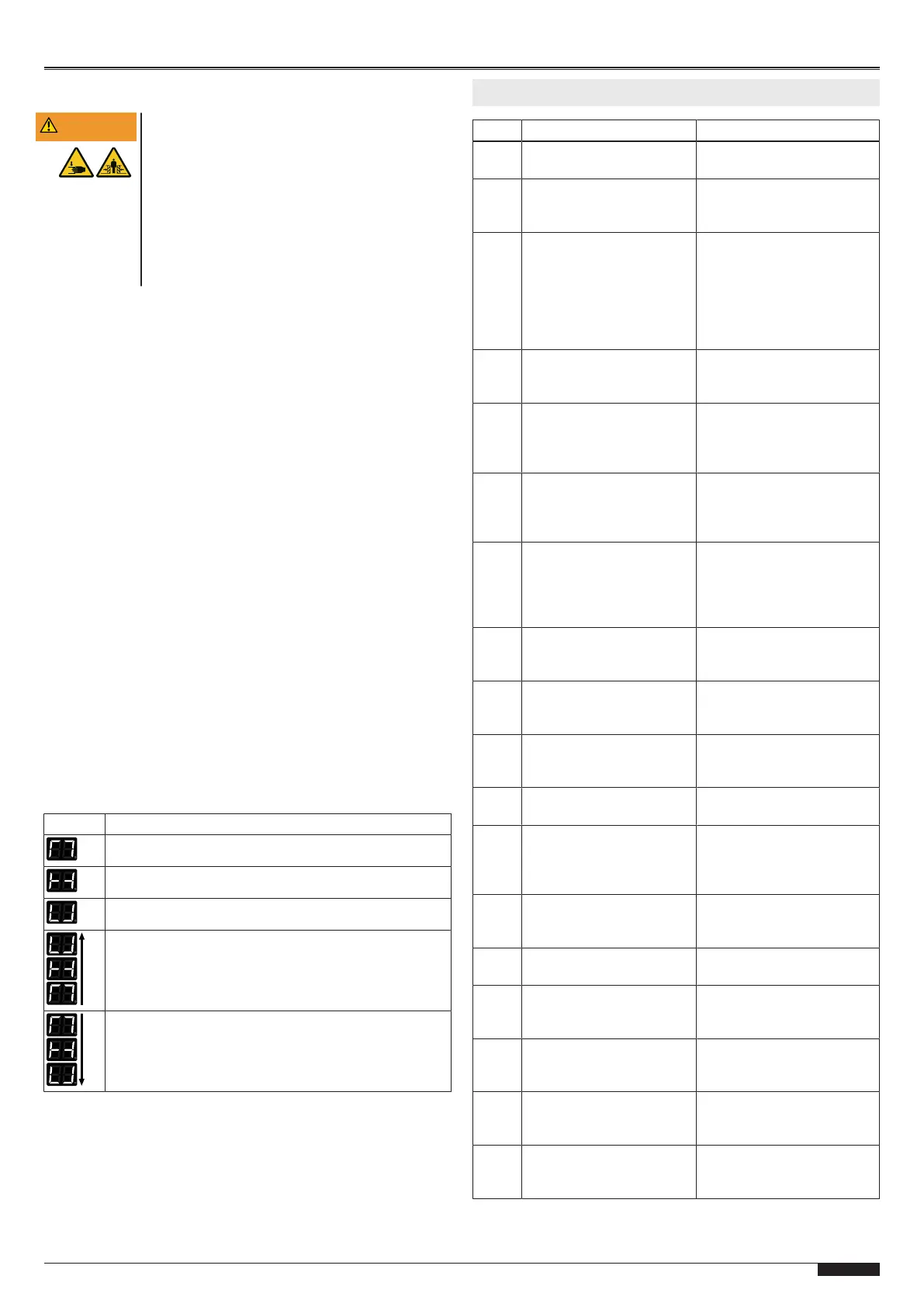
Door action status display
Display State
Upper end position OPEN reached
Door end position has not been reached
Lower end position CLOSE reached
Representation of the door opening frequency
Representation of the door closing frequency
8 Troubleshooting
Error State Diagnosed cause
E03 Door neither opens nor
closes. Wicket door open
Close wicket door.
E05 Door neither opens nor
closes
Safety circuit at J3
interrupted. Check slack
rope switch.
E06 Door reverses / does not
close
Closing edge safety device
has tripped. Check closing
edge safety device. Check
cabling. With 8k2 closing
edge keep programming
button pressed on menu
item35 for 5sec.
E07 Door reverses / does not
close
Photoelectric sensor has
triggered. Check menu
item36.
E08 Door neither opens nor
closes
Thermal contact of drive has
tripped. Let drive cool down.
Emergency release of drive,
lock drive again.
E09 Door neither opens nor
closes
No door end position
programmed.
Program door end position
under menu items30 + 31.
E10 Programming of
photoelectric sensor
position
Position of photoelectric
sensor in frame not
programmed. Open and
close door completely.
Adjust photoelectric sensor
E51 Door does not open Continuous start cover
button OPEN, button is
stuck, check.
E52 Door neither opens nor
closes
Cover button STOP
pressed, button stuck, cable
not connected.
E53 Door does not close Continuous start cover
button CLOSE, button stuck,
check.
E54 Door does not open Continuous start J1.3 button
OPEN, button stuck, check.
E55 Door neither opens nor
closes
External STOP button J1.2
pressed or bridge missing,
check cabling to external
command transmitter
E56 Door does not close Continuous start J1.4 button
CLOSE, button stuck,
check.
E5E Door only closes in dead
man mode
Service cycles elapsed.
Have service carried out.
F2
F3
F4
No response Error occurred during self-
testing. Switch control on /
off.
F5 No response Error occurred during self-
testing. Switch control on /
off.
F06 No response Error occurred during self-
testing. Switch control on /
off.
F10 Door stops after start
command
Fault in the control
electronics. Switch control
on / off.


 To Next Page
 Loading...