41
Installation
W-800
Routing the antenna
Hazardous voltage!
• Pull out the main plug from the mains socket before you open the cover of the drive head.
• Having installed the antenna, connect the cover to the drive head again.
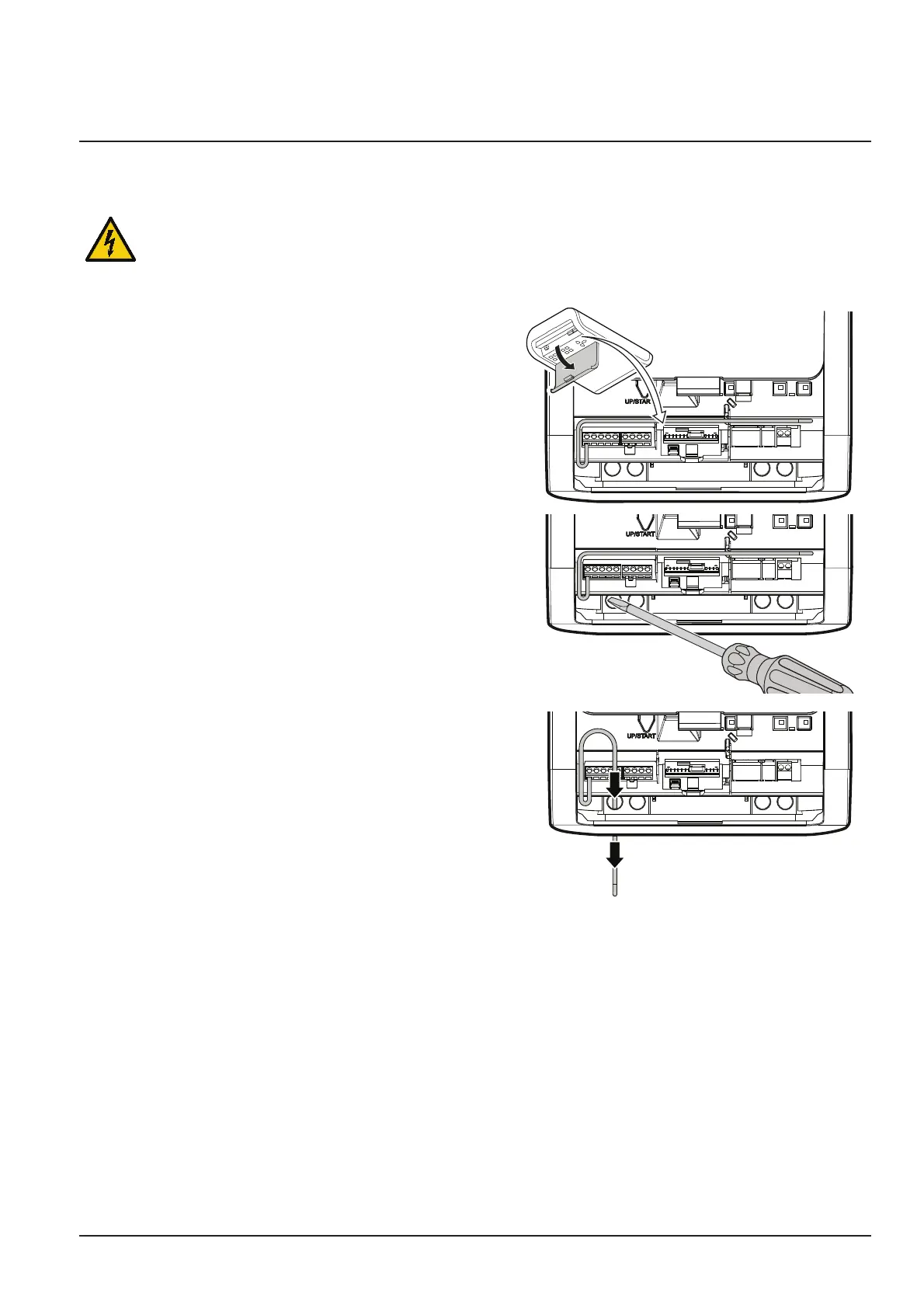
1. Open the cover at the drive head.
P
J
I
K
H
G
FE
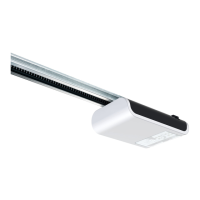
2. Use a suitable tool (e.g. a screwdriver) to break out the
material at the predetermined breaking point for the
feed-through and insert the supplied cable sleeve into
the resulting opening.
P
J
I
K
H
G
FE
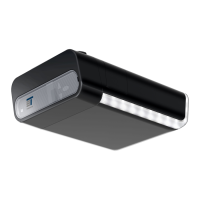
3. Take the antenna out of the transport lock and feed it
outwards through the feed-through.
P
J
I
K
H
G
FE
4. Close the cover at the drive head.
Note:
When using an external antenna, the shield must be placed on the right adjacent terminal(F).


 To Next Page