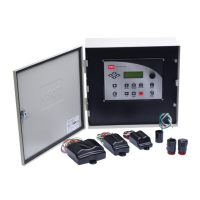
Toro TMR-1 Handheld Remote Installation (Optional)
The TMC-424E is equipped for operation with the Toro TMR-1 handheld remote control. A
handheld control option is provided in Special Functions that enables/disables handheld opera-
tion. By default operation is enabled. Refer to page 13 to disable handheld remote operation.
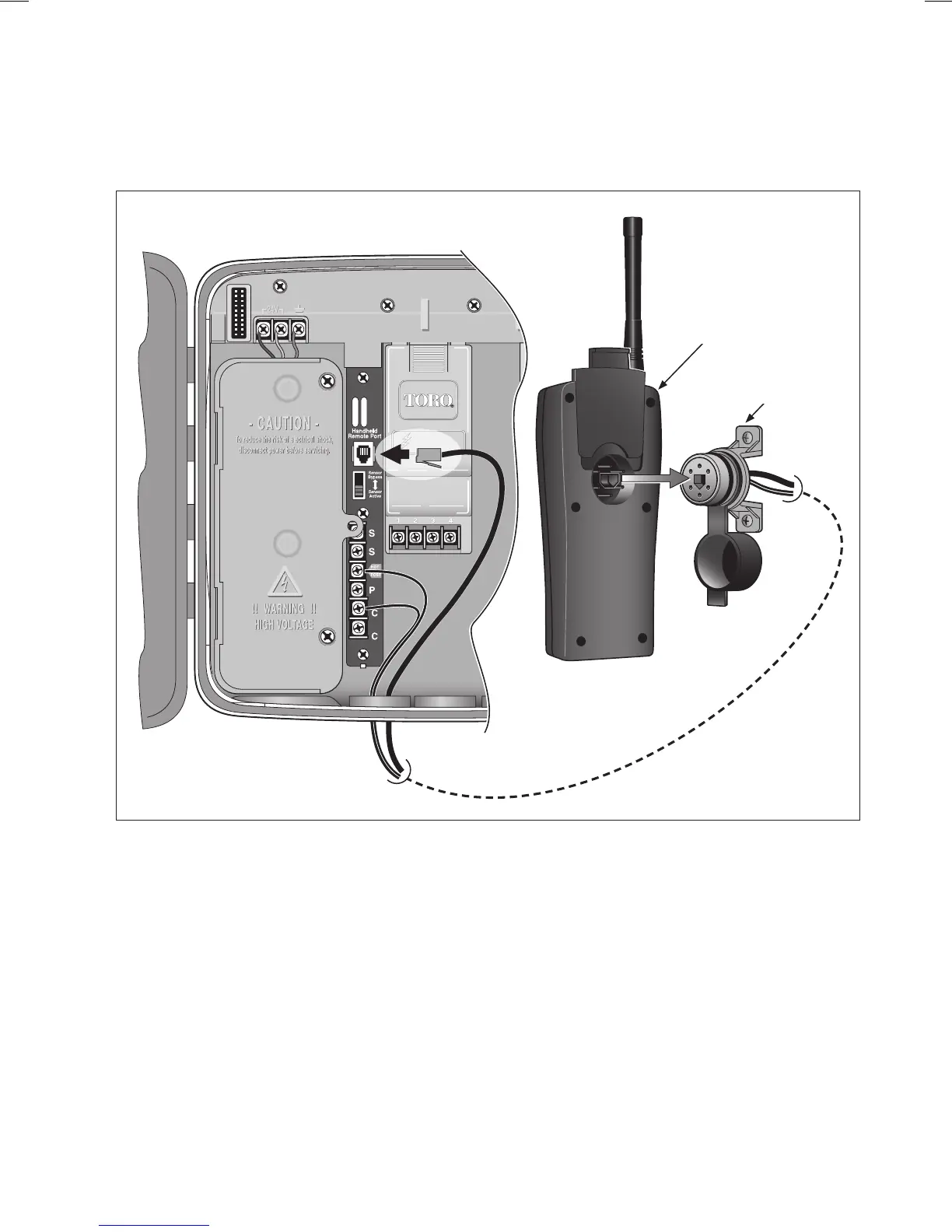
1. Install the TMR-1 remote receiver plug assembly according to the user’s guide provided with
the TMR-1 kit.
2. Route the receiver power wires and control cable into the cabinet through one of the available
knock-out access holes.
3. Connect either power wire to the Hot Post terminal, and the remaining power wire to a station
common (C) terminal.
4. Plug the RJ-11 connector into the Handheld Remote Port receptacle.
5. For complete handheld remote operating information, refer to the user’s guide provided with
the TMR-1 kit.
27
TMR-1
Receiver
Receiver
Plug


 To Next Page