SETTING NETWORK FUNCTIONS 143
3
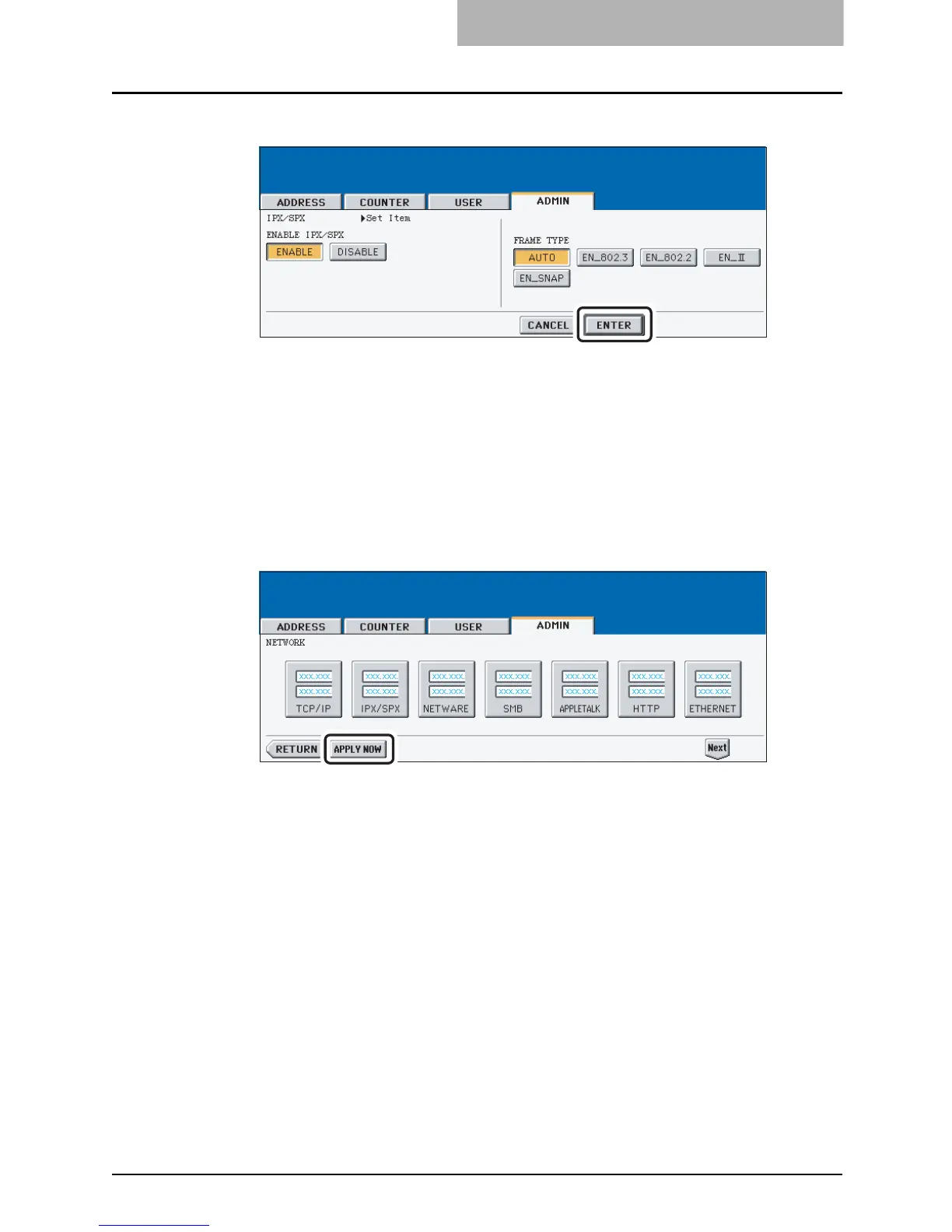
Specify the following items as required.
y ENABLE IPX/SPX — Press the [ENABLE] button to enable the IPX/SPX protocol, or
[DISABLE] button to disable the IPX/SPX protocol.
y FRAME TYPE — Press the [AUTO] button to automatically detect the appropriate
frame type, or press other specific frame type button. If you do not know the frame
type that must be used, select the [AUTO] button.
4
Press the [ENTER] button.
y Returns you to the NETWORK menu.
5
Continue to another network setting if required, then press the
[APPLY NOW] button.
y The "NETWORK INITIALIZING" message is displayed and this equipment starts ini-
tializing the network interface card to apply the changes.



 To Next Page
 Loading...






