SETTING LIST/REPORT 187
Setting the Communication Report
Communication Report allows you to print a report after every transmission. Reports can be
printed automatically only.
This function allows you to select the condition to print the communication report for each trans-
mission type separately.
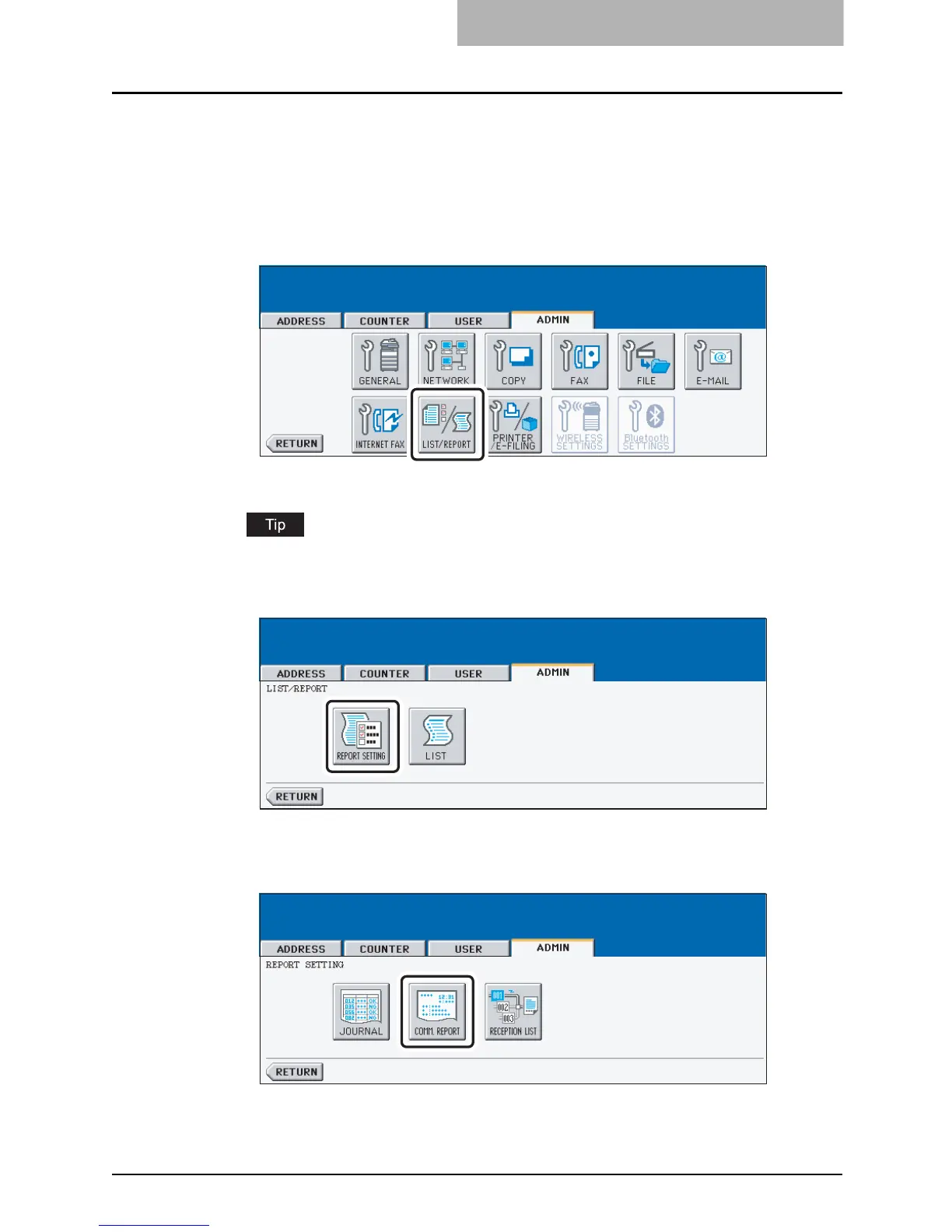
1
Press the [LIST/REPORT] button in the ADMIN menu.
y The LIST/REPORT screen is displayed.
To display the ADMIN menu, see "ENTERING TO ADMIN MENU". P.107
2
Press the [REPORT SETTING] button.
y The REPORT SETTING screen is displayed.
3
Press the [COMM. REPORT] button.
y The COMM. REPORT screen is displayed.



 To Next Page
 Loading...






