4 SETTING ITEMS (ADMIN)
142 SETTING NETWORK FUNCTIONS
Setting the IPX/SPX Protocol
You can set the IPX/SPX protocol on this equipment. The IPX/SPX protocol is usually used to
communicate with the NetWare file server through the network.
1
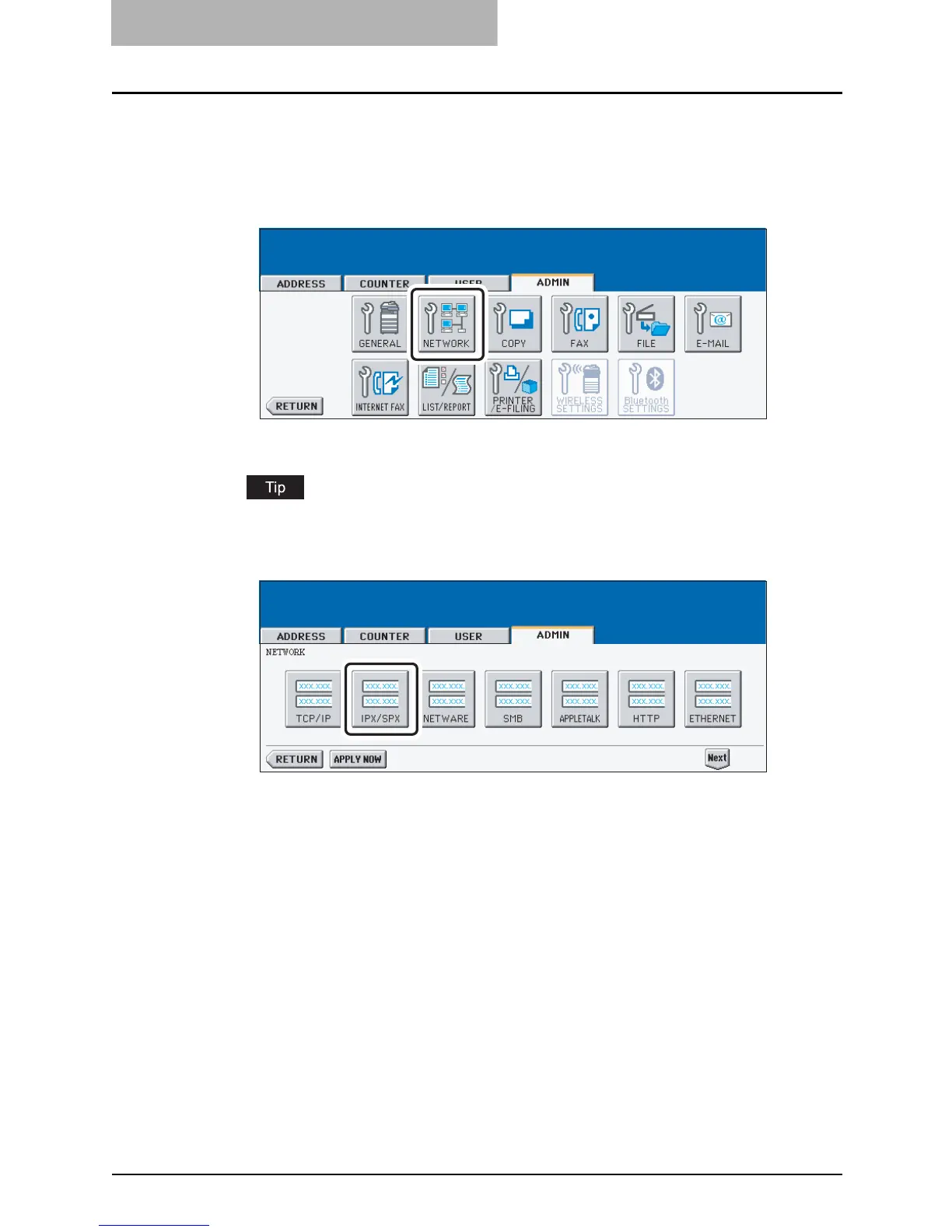
Press the [NETWORK] button in the ADMIN menu.
y The NETWORK menu is displayed.
To display the ADMIN menu, see "ENTERING TO ADMIN MENU". P.107
2
Press the [IPX/SPX] button.
y The IPX/SPX screen is displayed.



 To Next Page
 Loading...






