SETTING COPY FUNCTIONS 87
5
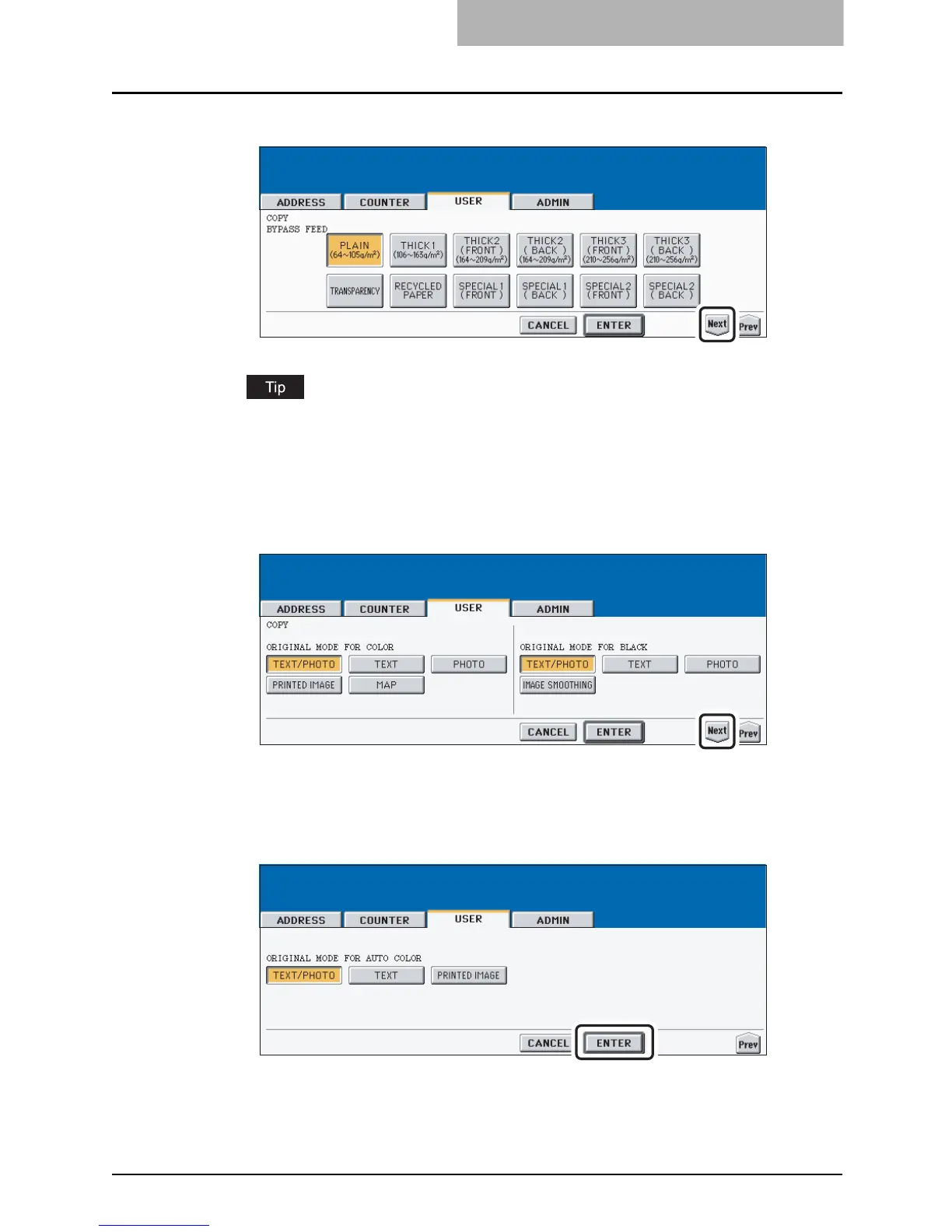
Press the desired media type button.
For more information about the paper type, please see the Operator’s Manual For Basic
Functions.
6
Press the [Next] button to display the next screen.
7
Press the desired mode button for “ORIGINAL MODE FOR COLOR”
and “ORIGIANL MODE FOR BLACK” option.
8
Press the [Next] button to display the next screen.
9
Press the desired mode button for “ORIGINAL MODE FOR AUTO
COLOR” option.
10
Press the [ENTER] button.
y The default settings for each mode are changed as you specified.



 To Next Page
 Loading...






