5. INSTALLATION PROCEDURE
5.2 Connecting the Drawer
5-4
EO1-13021
5.2 Connecting the Drawer
1) Turn the printer power OFF.
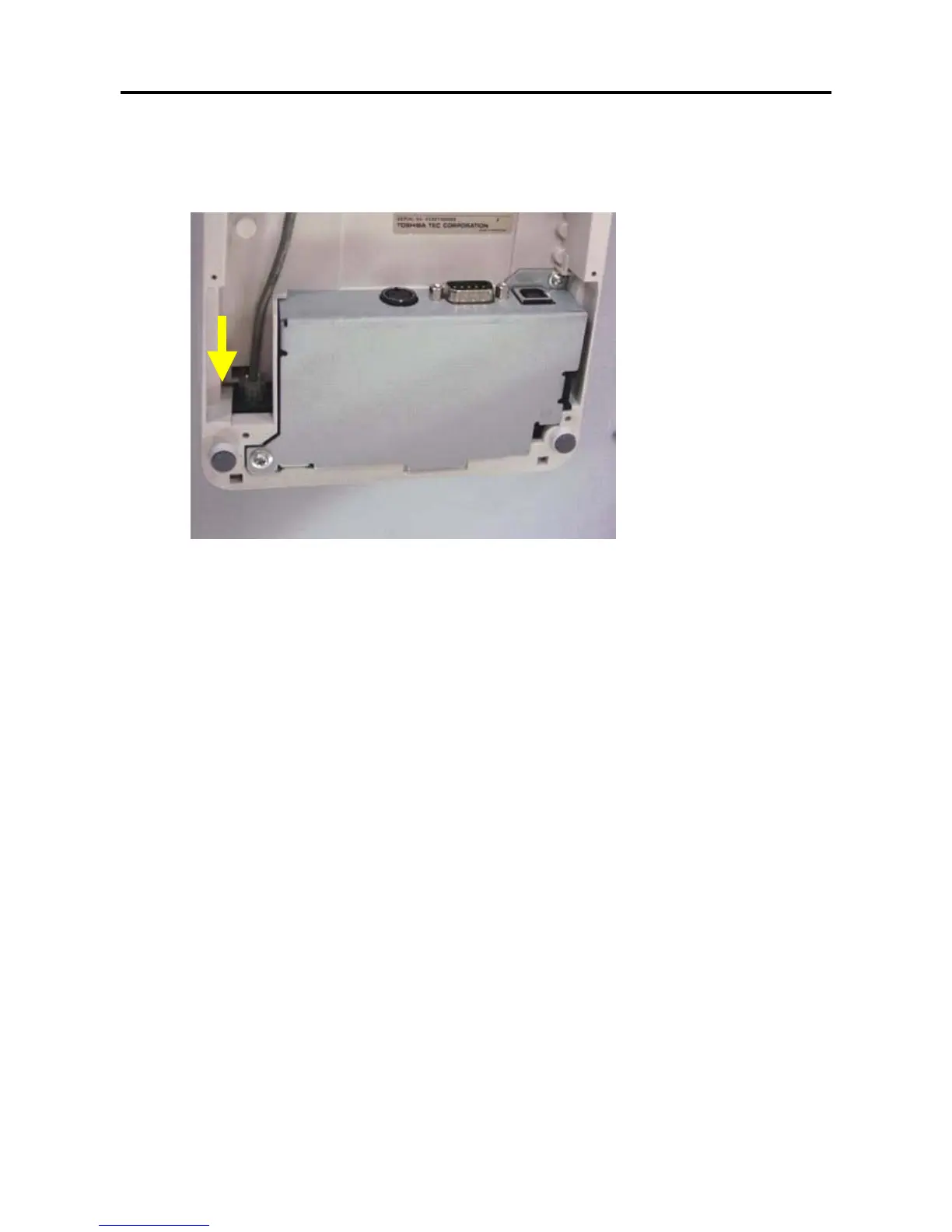
2) Connect the drawer cable to the drawer interface connector in the correct orientation.
[Drawer interface connector] (6-pin modular connector)
A Drawer cable which connects the printer to a drawer is connected to this connector.
To this connector, a TOSHIBA drawer can be connected. Do not connect anything other than the
connectable drawer.
NOTE: For connectable drawers, refer to your nearest authroized TOSHIBA TEC representative.
[Ground terminal] (6-pin modular connector)
The drawer interface cable’s ground wire is secured to this terminal.



 To Next Page
 Loading...