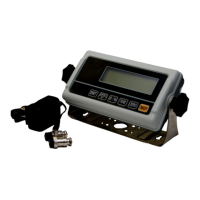
TWP Weighing Indicator Service Manual
CONTENTS
1. SPECIFICATIONS….……………………………………………………….....3
2. INSTALATION AND PRECAUTIONS………………………………………..4
Load cell connection..... ……………………………………………….........4
Power operation……………………………………………………………………..5
Battery operation…………………………………………………………………….5
3. NAME AND FUNCTIONS.... ……………………………………….......……..6
Overall view…………………………………………………………………………..6
Display………………………………………………………………………………..6
Key board…………………………………………………………………………….7
4. OPERATION.…………………………………………………………….…….8
Power ON/OFF………………………………………………………………………8
Zero…………………………………………………………………………………...8
Tare…………………………………………………………………………………...8
Sample Weighing……………………………………………………………………8
Check Weighing……………………………………………………………………..9
Enter to Menu………………………………………………………………………..9
Set Limits………………………………………………………………………….....9
Set check weighing mode. …………………………………………………….....9
Accumulation……………………………………………………………………….10
Accumulation automatically……………………………………………….11
Animal Weighing…………………………………………………………………...12
Peak Hold …………………………………………………………………………..13
5. PARAMETER…………………………………………………………………13
Keys operation into menu. ………………………………………………………. 13
Parameter Block…………. ………………………………………………………..14
6. RS232 OUT PUT…………………………………………………………..17
7. CALIBRATION………………………………………………………………..19
8. MAINTENANCE………………………………………………………………22
Cleaning…………………………………………………………………………….22
Error Codes………………………………………………………………………...22
Trouble Shooting…………………………………………………………………..22
9. CIRCUIT DIAGRAM…………………………………………………………..23
10. Quick Set Up………………………………………………………………………31
11. Quick Calibration………………………………………………………………….32
12.


 To Next Page