Virtuo Floor Stand Guide
Installing the Virtuo Floor Stand
Removing the Floor Stand from the Pallet
20
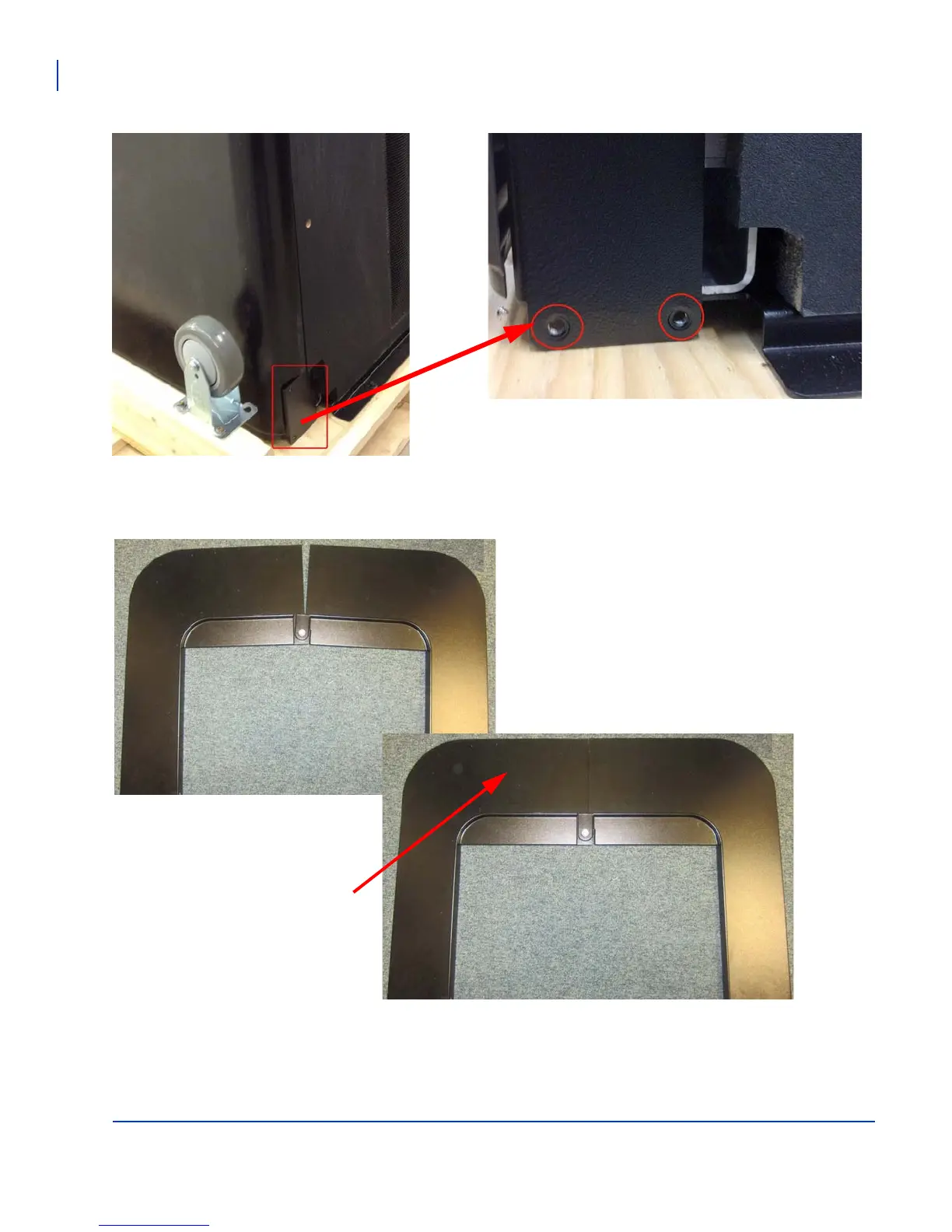
Attaching the wheels to the main frame
Assembling the baseplate
Remove the wheels from the pallet if you have
not done so already, and use the use 8 bolts
and washers provided to attach the two wheels
to the base of the Floor Stand.
The baseplate consist of a right and left piece that
combine to form a horseshoe. The Floor Stand is
then rolled into this plate and secured.
Connect the two baseplate pieces as shown with the
right piece on top of the left piece.
Front of the Floor Stand



 To Next Page