Virtuo Floor Stand Guide
Installing the Virtuo Floor Stand
Connecting the audio cables to the Virtuo
32
Connecting the audio cables to the Virtuo
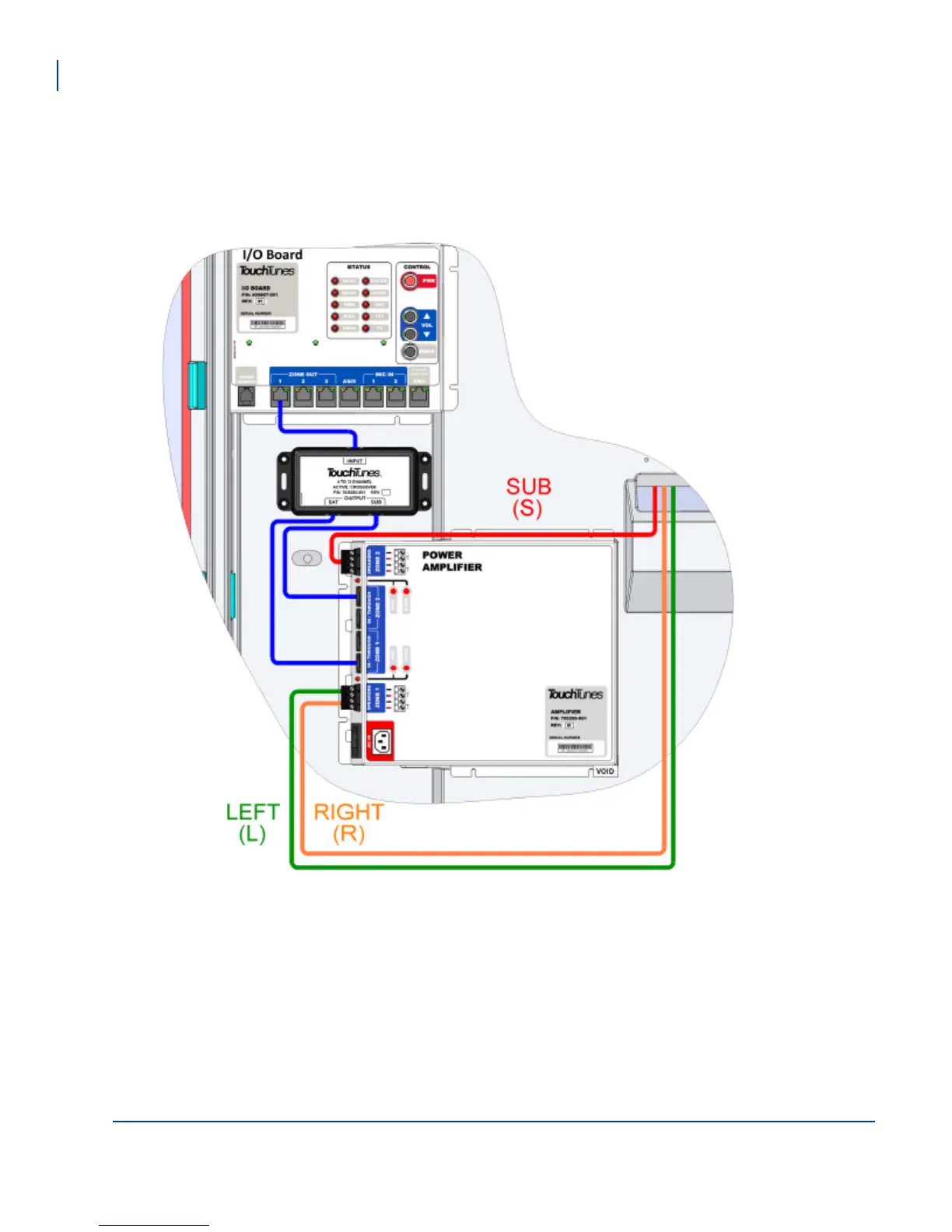
Pass the speaker wires into the Virtuo and connect the wires inside the Virtuo, according to this diagram, and
then connect the integrated subwoofer and array speaker wires according to Connecting the subwoofer and
array speaker wires.



 To Next Page