Virtuo Floor Stand Guide
Installing the Virtuo Floor Stand
Wiring the DA-415 amplifier
34
Wiring the DA-415 amplifier
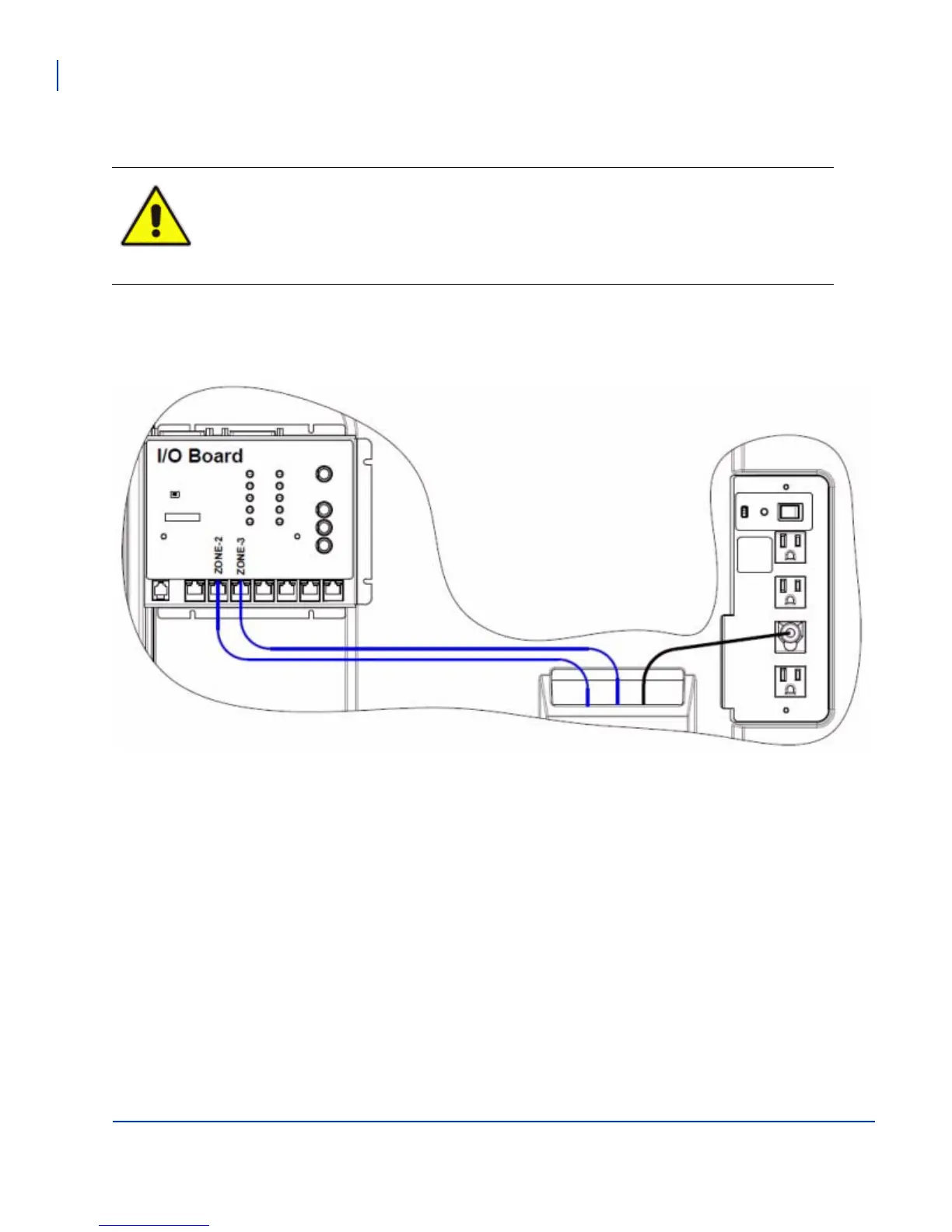
This diagram shows how to connect the I/O board Zones 2 and 3 to the DA-415 amplifier, and how to connect
the DA-415 to the AC strip inside the Virtuo.
The Floor Stand is supplied with a preinstalled DA-415 amplifier in the base. The amplifier in
the Virtuo must be used only to power the Floor Stand’s array speakers and subwoofer. The
DA-415 amplifier can be used only to power other speakers not included on the Floor Stand,
such as a house system.
Do not add a second amplifier to the Virtuo Floor Stand.



 To Next Page