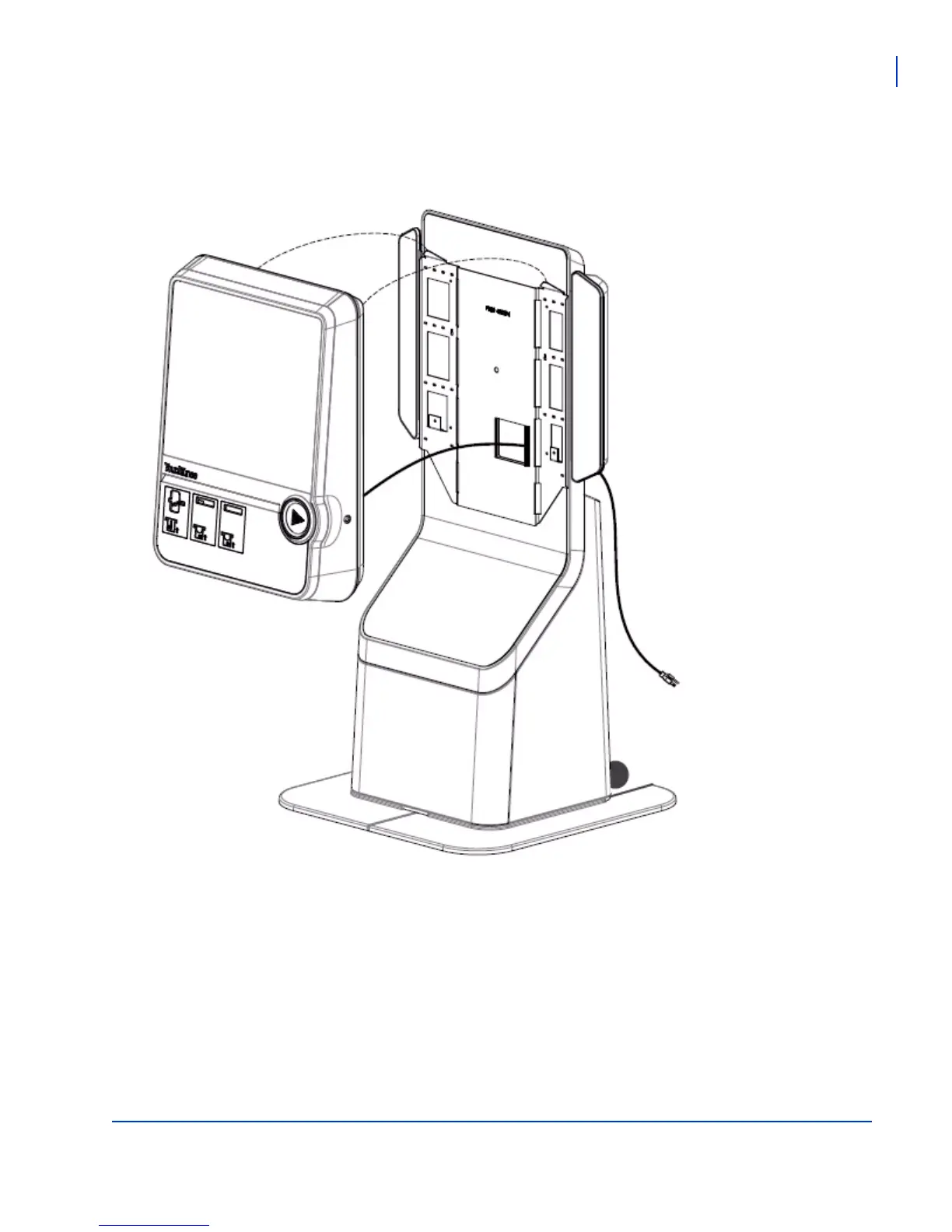
Installing the Virtuo Floor Stand
Mounting the Virtuo to the Floor Stand
Virtuo Floor Stand Guide
29
6. With the assistance of another person, lift the Virtuo so that the top of Virtuo is slightly higher than the top
of the bracket.
7. Pass the power wire from the Virtuo through the Floor Stand.
8. Align the flange hooks on Virtuo with the receptacles on the front of the bracket on the Floor Stand.
9. Hang the Virtuo on the Floor Stand, allowing the weight of the unit to set it into position.
10. Attach the Virtuo to the back plate with the supplied wing screws, part number 200099-008.



 To Next Page