- 16 - tousek / EN_ST-63_02 / 25. 03. 2020
In emergency mode are the photocells and the safety edges deactivated, but the STOP-switch is still active.
Right after deleting the end positions (menu diagnosis→delete positions→yes) emergency mode is NOT possible.
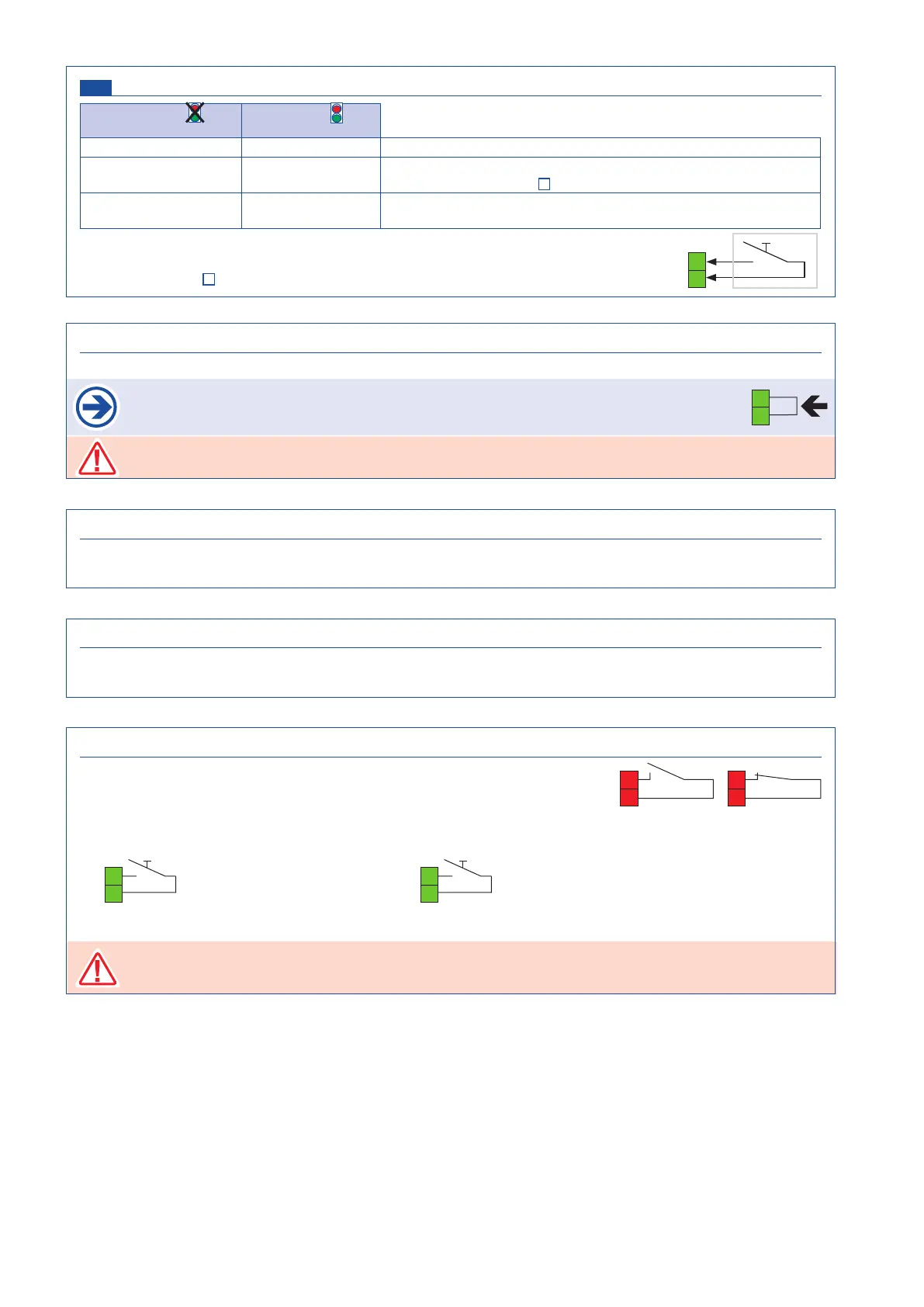
ILD channel (N.O. contact, terminals 30/39) Buttons / switches
no traffic light and
no deadman mode
traffic light
or
deadman mode
impulse OPEN
/ When driving on the induction loop, the gate opens.
security security
When driving on the induction loop, the setting selected under
„photocell“ is effective (
page 17
).
attendence attendence
Via a potential free closing contact (terminals 78/79) the approach
to the induction loop can be evaluated.
An optionally available induction loop detector forwards the signals of an induction loop
via a potential-free switching contact to the terminals KL1 30/39.
Further information
corresponding ISD manual.
CLOSE-button (N.O. contact, terminals KL1 30/33) Buttons / switches
• A command with the CLOSE-switch engages closing of gate. In deadman mode the gate closes as long as
the CLOSE-switch is pressed/switched. As soon as switch is released the gate movement stops.
STOPP-switch (N.C. contact, terminals KL1 30/31) Buttons / switches
• when pressing the stop switch the gate stops in any desired position.
As stop switch a break contact has to be used.
If no stop switch is connected, terminals 30/31 have to be wire-bridged.
KL1
31
30
The stop input has no emergency stop function! - In order to ensure the emergency stop function, provide
the supply line with an all-pole disconnecting emergency stop switch, that locks after actuation!
OPEN-button (N.O. contact, terminals KL1 30/36) Buttons / switches
• A command with the OPEN-switch engages opening of gate. In deadman mode the gate opens as long as
the CLOSE-switch is pressed/switched. As soon as switch is released the gate movement stops.
EMERGENCY MODE switch (terminals KL1 S3/S4) Buttons / switches
• to activate the emergency mode a button with maintained contact must be
connected to the terminals S3/S4.
• safety device malfunction: in emergency mode the gate can be opened and closed
with reduced speed. The gate travels like in dead-man mode. With OPEN-switch
the gate can be opened and withc CLOSE-switch it can be closed.
KL1
36
30
with OPEN switch: open the gate
33
30
KL1
with CLOSE switch: close the gate
39
30
ISD
KL1
S4
S3
emergency
mode
S4
S3
normal
operation
KL1 KL1


 To Next Page