- 24 - tousek / EN_ST-63_02 / 25. 03. 2020
Peripherals Connections and adjustments
trac light Peripherals
not active
active: Trac light function active
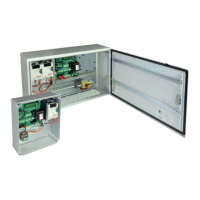
• With the optional trac light control unit, that has to be connected to the bus terminals 88, 89 (
page 33),
you can implement a trac light operation mode.
• Note: The functions and settings relevant for the trac light operation are displayed in the menu only
after selecting “active” → see
• Connection of the trac light → see instruction manual of the trac light control unit.
Valid for the trac light mode:
• The inputs of the pulse buttons of the drive control have no function and the impulse emis-
sion is only possible via trac light board!
• When using a radio receiver and the trac light mode, the receiver is not to be plugged
into the slot of the control unit, but into the slot of the trac light control!
page 37
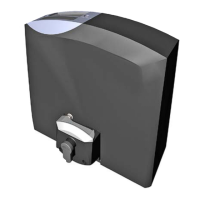
The door lock can be done by means of electric lock / magnetic clamp or drop bolt.
In both cases, the corresponding module is additionally required (
page 26).
To control the motor bolt SAFELOCK, a motor bolt control is also required (
page 27).
To deactivate locking, the menu item „locking“ has to be set to „Electric lock/magnetic clamp“ and the menu
item „Electric lock“ to „not active“ afterwards.
locking Peripherals
Electric lock/magnetic clamp: locking with optional Electric lock/magnetic clamp module.
Electric drop: locking with additional electric drop module.
reverse stroke Peripherals
not active
0,1–8s einstellbar: After an impulse is given, a short closing movement for unlocking is initiated rst (serves to relax
the latch before unlocking). Afterwards the unlocking is performed and the door is opening. With an electric lock, the
reversal stroke is only carried out in the opening direction.
delay magnetic clamp Peripherals
OFF
0,1–1s adjustable: Time for releasing the magnetic clamp before the gate movement.
Electric lock Peripherals
not active
1–10s adjustable: The electric lock is activated by impulse button or pedestrian button for a period of time set
here to ensure the release depending on the gate situation.
LOCKING WITH ELECTRIC LOCK/MAGNETIC CLAMP:
reverse stroke Peripherals
not active
active: after giving an impulse via switch or transmitter the gate reverses before opening or closing in order to loosen
the drop bolt. After the drop bolt is completely retracted the gate start to move (open or close).
electric drop Peripherals
OPEN and CLOSE: locking with an electric drop in both end positions of the gate.
OPEN only: locking with an electric drop only in the gate open position.
CLOSE only: locking with an electric drop only in the gate closed position.
LOCKING WITH DROP BOLT:


 To Next Page