Toyopuc PC3/PC2 Ethernet Driver
Network Adapter:Specify the network adapter to bind. When Default is selected, the operating system
selects the default adapter.
Channel Properties - Write Optimizations
As with any OPC server, writing data to the device may be the application's most important aspect. The
server intends to ensure that the data written from the client application gets to the device on time. Given
this goal, the server provides optimization properties that can be used to meet specific needs or improve
application responsiveness.
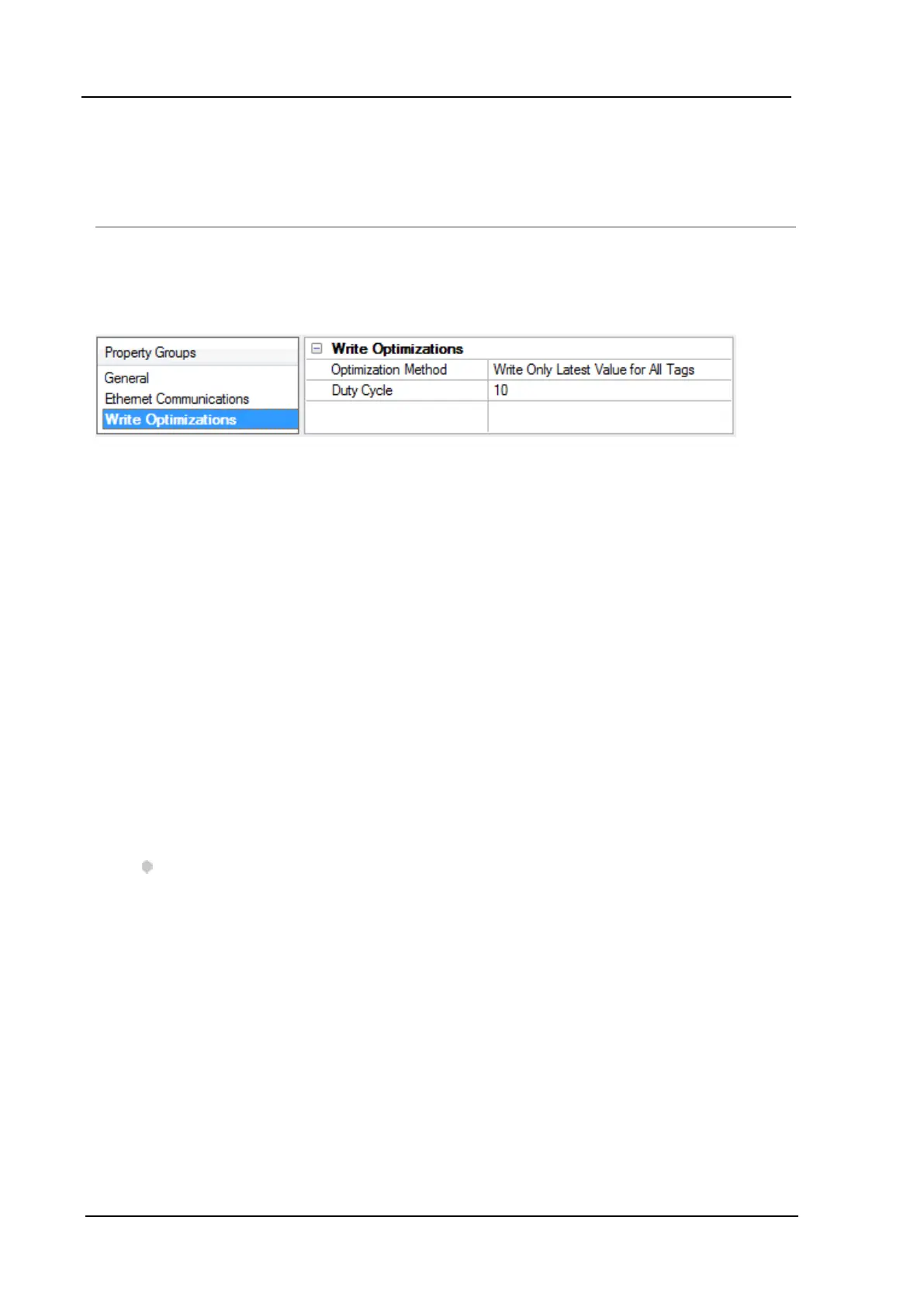
Write Optimizations
OptimizationMethod: controls how write data is passed to the underlying communications driver. The
options are:
l Write All Values for All Tags:This option forces the server to attempt to write every value to the
controller. In this mode, the server continues to gather write requests and add them to the server's
internal write queue. The server processes the write queue and attempts to empty it by writing data
to the device as quickly as possible. This mode ensures that everything written from the client
applications is sent to the target device. This mode should be selected if the write operation order or
the write item's content must uniquely be seen at the target device.
l Write Only Latest Value for Non-Boolean Tags: Many consecutive writes to the same value can
accumulate in the write queue due to the time required to actually send the data to the device. If the
server updates a write value that has already been placed in the write queue, far fewer writes are
needed to reach the same final output value. In this way, no extra writes accumulate in the server's
queue. When the user stops moving the slide switch, the value in the device is at the correct value at
virtually the same time. As the mode states, any value that is not a Boolean value is updated in the
server's internal write queue and sent to the device at the next possible opportunity. This can greatly
improve the application performance.
Note: This option does not attempt to optimize writes to Boolean values. It allows users to
optimize the operation of HMI data without causing problems with Boolean operations, such as a
momentary push button.
l Write Only Latest Value for All Tags:This option takes the theory behind the second optimization
mode and applies it to all tags. It is especially useful if the application only needs to send the latest
value to the device. This mode optimizes all writes by updating the tags currently in the write queue
before they are sent. This is the default mode.
Duty Cycle: is used to control the ratio of write to read operations. The ratio is always based on one read for
every one to ten writes. The duty cycle is set to ten by default, meaning that ten writes occur for each read
operation. Although the application is performing a large number of continuous writes, it must be ensured
that read data is still given time to process. A setting of one results in one read operation for every write
operation. If there are no write operations to perform, reads are processed continuously. This allows
optimization for applications with continuous writes versus a more balanced back and forth data flow.
www. kepware.com
8



 To Next Page