Toyopuc PC3/PC2 Ethernet Driver
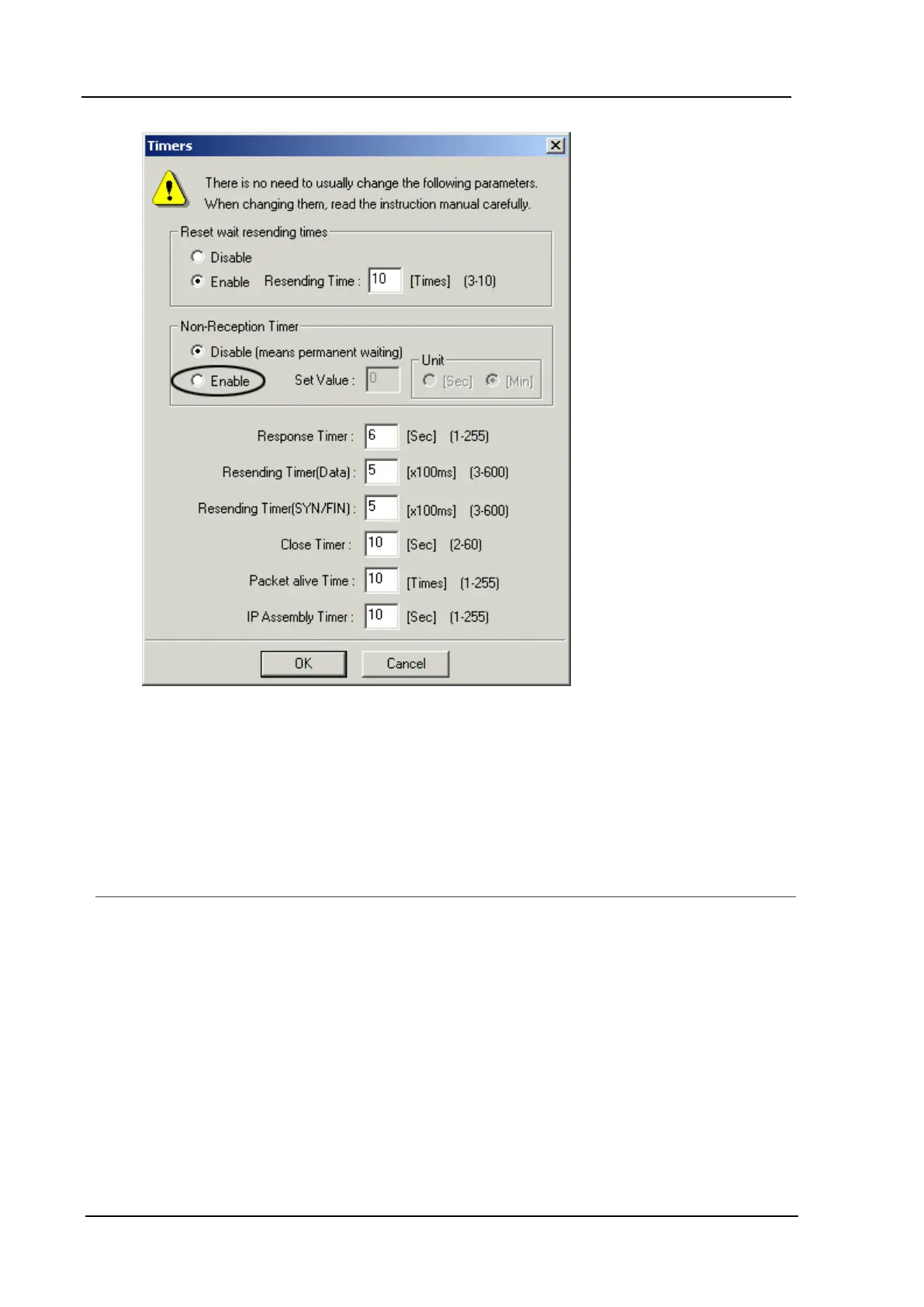
18. Under Non-Reception Timer, click Enable.
19. To set the timer resolution, enter a value in the Set Value field. Under Unit, select seconds or
minutes. A value of less than a minute is recommended. This setting should not be faster than the
poll rate.
20. Click OK to finish.
Configuration Ladder for EN-I/F Ethernet Module
To make multiple connections to the Toyopuc PLC PC2/PC3, users must connect with different Port IDs in
each client connection. To do this, the ports in the ladder program must be initialized. The example below
shows how to initialize the Ethernet card for one connection port. The following properties are assumed:
1. The Ethernet module link number is 3.
2. The PC IP address is being set to 192.168.1.1 (C0,A8,01,01).
3. The module allows 8 connections. This example specifies 1.
4. The port will be opened as "TCP," "passive partner unspecified."
5. The port number for the first connection is 1000h (4096).
www. kepware.com
46



 To Next Page