232
5-5. Using an external device
COASTER_GW-E
P. 2 0 9
Listening USB memory device
: If equipped
Connecting a USB memory enables you to enjoy music from the
vehicle speakers. Press the “MODE” button until “USB” is dis-
played.
Connecting a USB memory
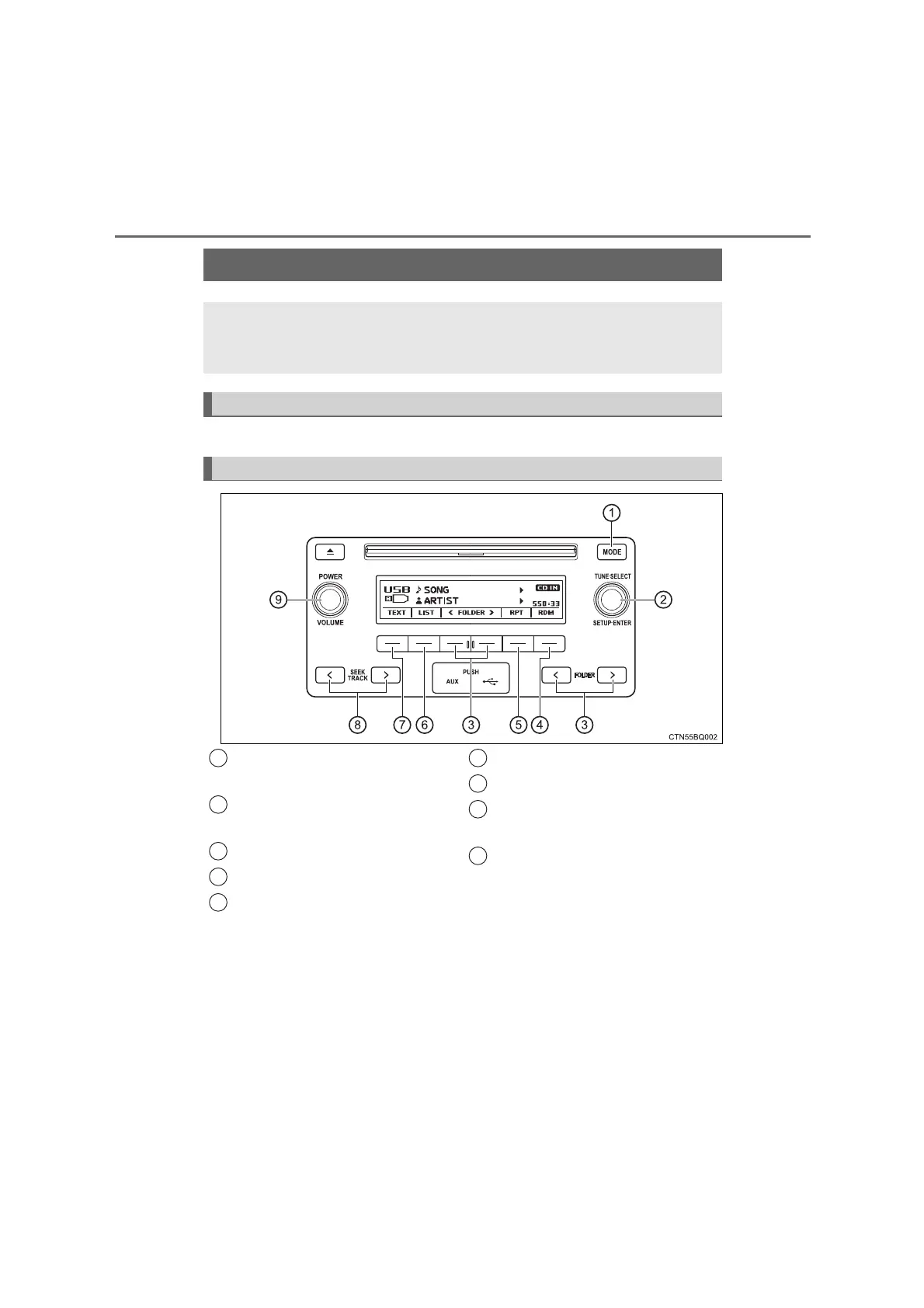
Control panel
Changing the audio source/
playback
“TUNE•SELECT” knob
Selecting a file
Selecting a folder
Random play or back button
Repeat play
Displaying folder list
Displaying text message
Selecting a file, fast-forward-
ing or rewinding
“POWER/VOLUME” knob
Press: Turning the audio sys-
tem on or off
Turn: Adjusting the volume
1
2
3
4
5
6
7
8
9
COASTER_OM_General_OM36742W







 To Next Page