95
3-2. Opening, closing and locking the doors
COASTER_GW-E
3
Operation of each component
◆
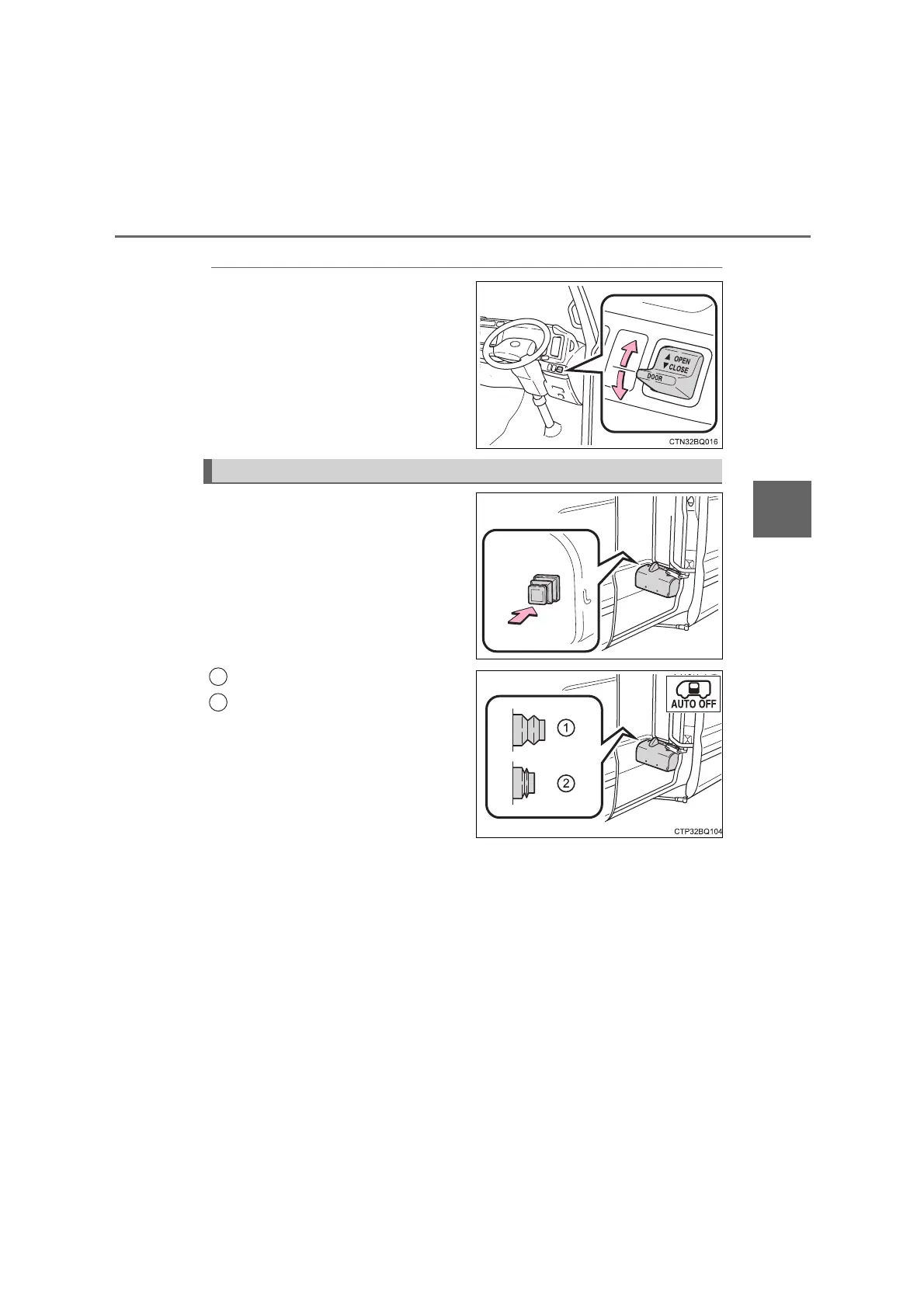
Passengers’ door control switch
Push the switch to the “OPEN”
position to open the door and to
the “CLOSE” to close.
The door will move while the
switch is being operated and
stop when released.
Push either automatic operation
switch to enable/disable auto-
matic operation of the passen-
gers’ door.
Automatic operation enabled
Automatic operation disabled
When disabled, the passengers’
door indicator (“AUTO OFF”) light
in the instrument cluster (P. 61)
will illuminate when the engine
switch is in the “ON” position.
Under normal conditions, leave the
automatic operation switches in the
on position (automatic operation
enabled).
Enabling/Disabling automatic operation
1
2
COASTER_OM_General_OM36742W








 To Next Page