239
2. SETUP
7
PHONE
1 Display the “Phone/Message Settings”
screen. (P.238)
2 Select “Sound Settings”.
3 Select the desired item to be set.
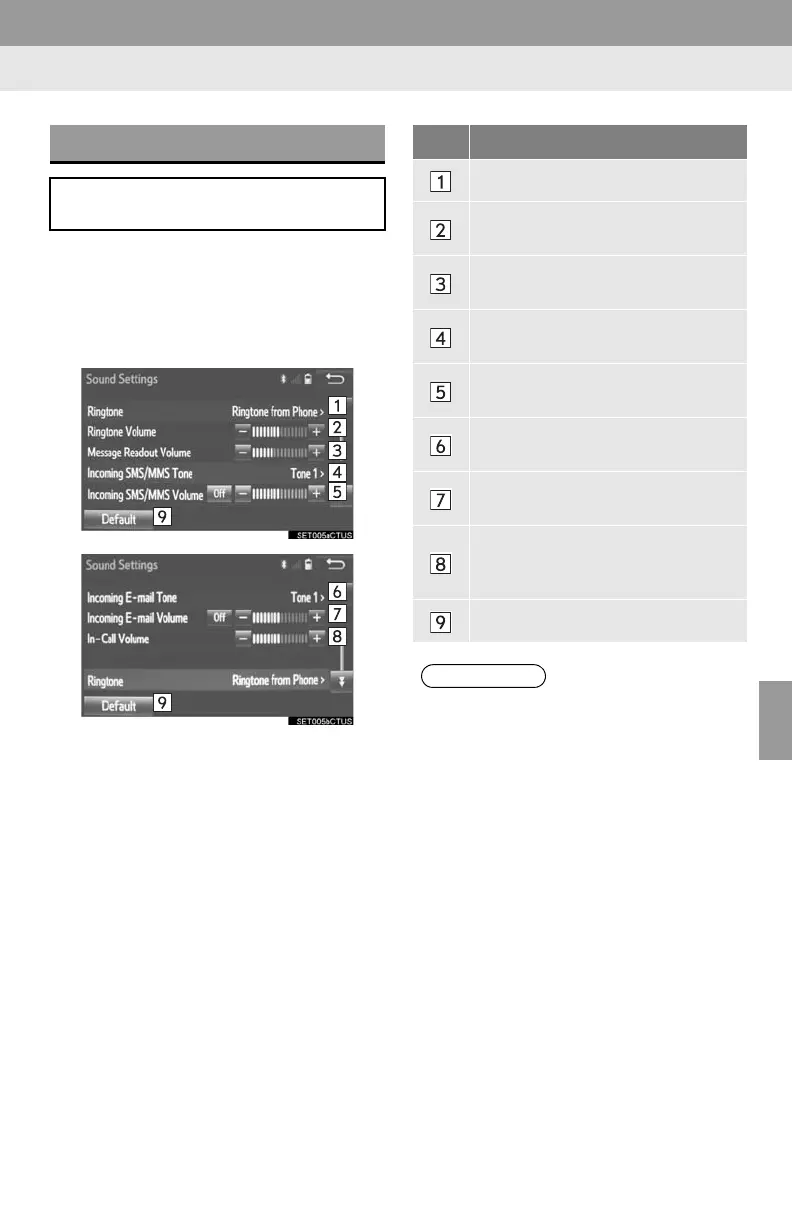
“Sound Settings” SCREEN
The call and ringtone volume can be
adjusted. A ringtone can be selected.
No. Function
Select to set the desired ringtone.
Select “-” or “+” to adjust the ring-
tone volume.
Select “-” or “+” to adjust the mes-
sage readout volume.
Select to set the desired incoming
SMS/MMS tone.
Select “-” or “+” to adjust the in-
coming SMS/MMS tone volume.
Select to set the desired incoming e-
mail tone.
Select “-” or “+” to adjust the in-
coming e-mail tone volume.
Select “-” or “+” to adjust the de-
fault volume of the other party’s
voice.
Select to reset all setup items.
● Depending on the type of phone, certain
functions may not be available.















 To Next Page