331
1. Entune App Suite OVERVIEW
9
Entune App Suite
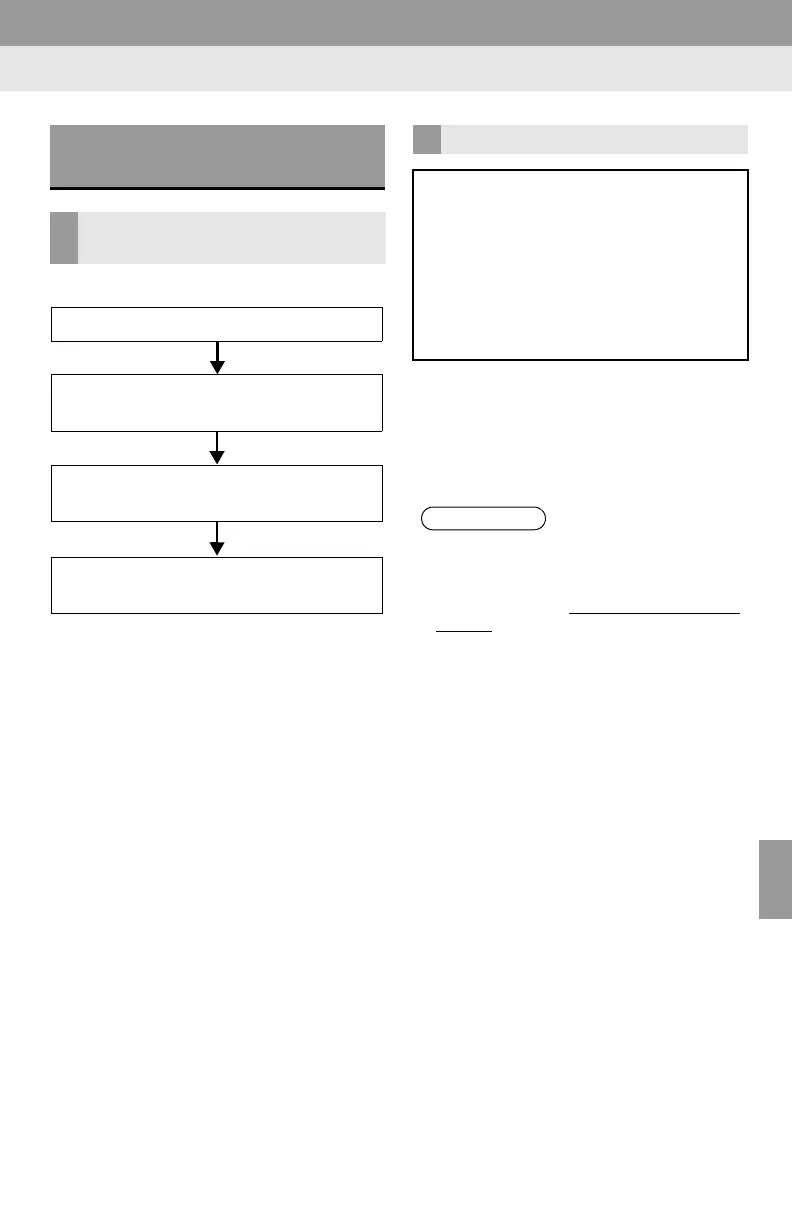
Perform the following actions.
In order to use Entune App Suite, the fol-
lowing actions must first be performed:
User registration with a service contract
(P.331)
Download the Entune App Suite applica-
tion onto your cellular phone, and login to
the application. (P.332)
Register the cellular phone that the
Entune App Suite application was down-
loaded to with the system. (P.332)
Register a Bluetooth
®
phone with the
hands-free system. (P.43)
Download Entune App Suite applications
to the system. (P.334)
1 Perform Entune App Suite user regis-
tration from the designated web ad-
dress or from the downloaded Entune
App Suite application on your cellular
phone.
PREPARATION BEFORE
USING Entune App Suite
SETUP REQUIRED TO USE
Entune App Suite
1 User registration
2 Download the Entune App Suite ap-
plication to your cellular phone.
3 Register the cellular phone to the sys-
tem.
4 Download Entune App Suite applica-
tions to the system.
USER REGISTRATION
When purchasing the vehicle, an email
address is registered at your Toyota
dealer. If your email address was not
registered at your Toyota dealer, your
email address can be registered at the
Toyota drivers website. A user regis-
tration guidance email containing a
web address will be sent.
● If your email address was not registered
at your Toyota dealer when the vehicle
was purchased, an email address can
be registered at http://www.toyota.com/
entune/.















 To Next Page