76
1. BASIC OPERATION
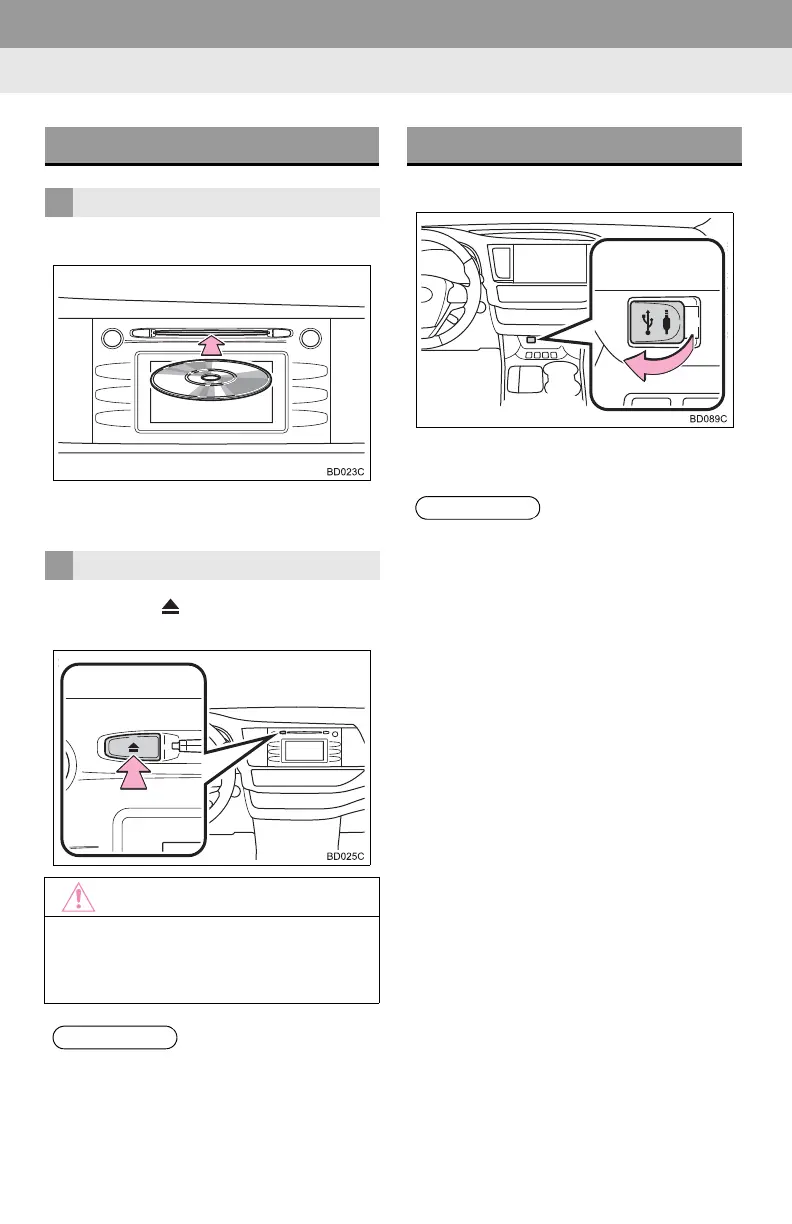
1 Insert a disc into the disc slot.
After insertion, the disc is automatically
loaded.
1 Press the button and remove the
disc.
1 Open the cover and connect a device.
Turn on the power of the device if it is not
turned on.
DISC SLOT
INSERTING A DISC
EJECTING A DISC
● Never try to disassemble or oil any part
of the CD player. Do not insert anything
other than a disc into the slot.
● The player is intended for use with 4.7
in. (12 cm) discs only.
● When inserting a disc, gently insert the
disc with the label facing up.
USB/AUX PORT
● If a USB hub is plugged-in, two devices
can be connected at a time.
● Even if a USB hub is used to connect
more than two USB devices, only the
first two connected devices will be rec-
ognized.











 To Next Page