94
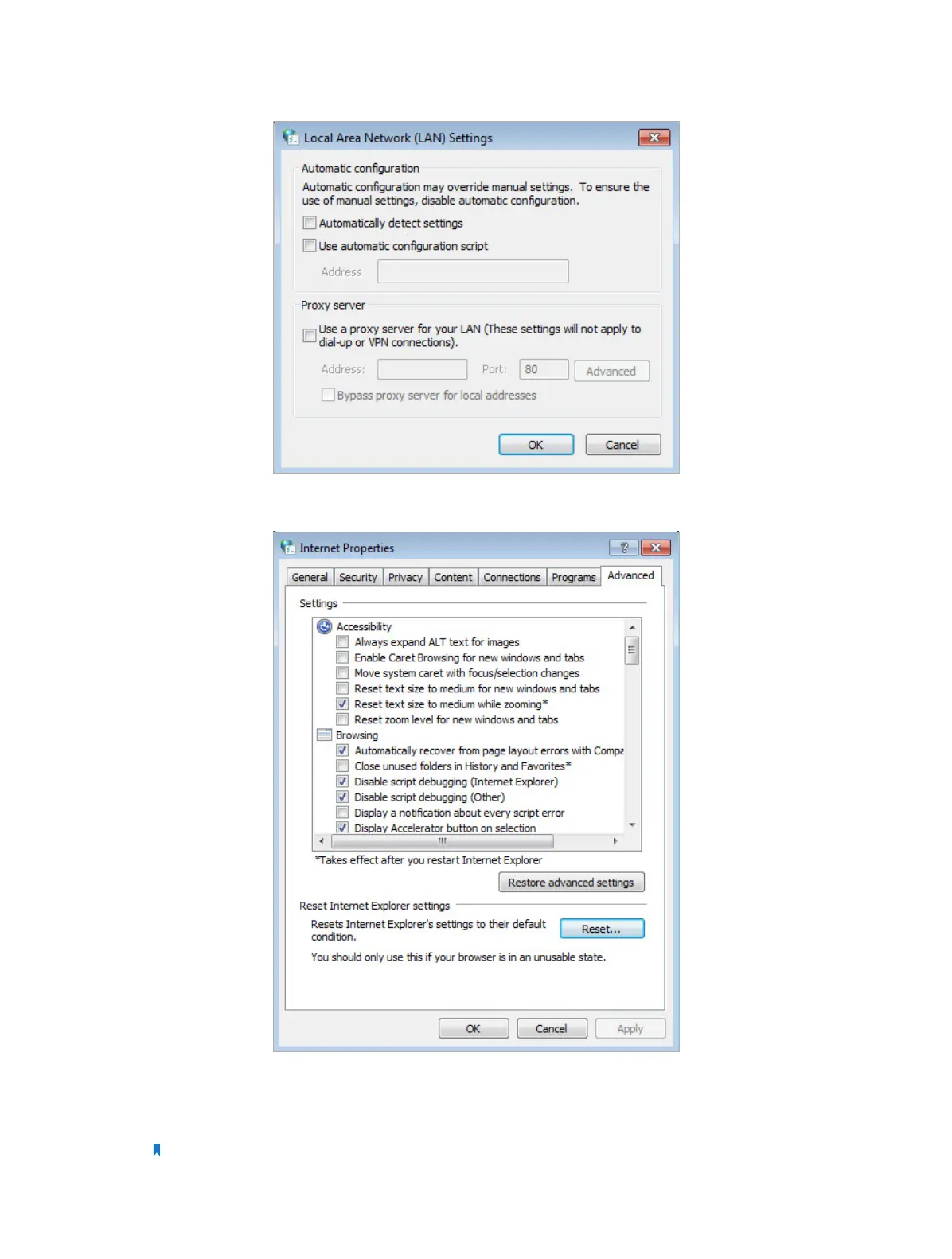
5 ) Go to Advanced > Restore advanced settings, click OK to save the settings.
• Use another web browser or computer to login again.
• Reset the router to factory default settings and try again. If login still fails, please
contact the technical support.
Note: You’ll need to reconfigure the router to surf the Internet once the router is reset.














 To Next Page