84
1. Visit http://tplinkmodem.net, and log in with password you set for the router.
2. Configure the LAN IP address of the router in the same subnet as the root router.
For example, if the IP address of the root router is 192.168.0.1, the IP address of the
extended router should be from 192.168.0.2 to 192.168.0.254.).
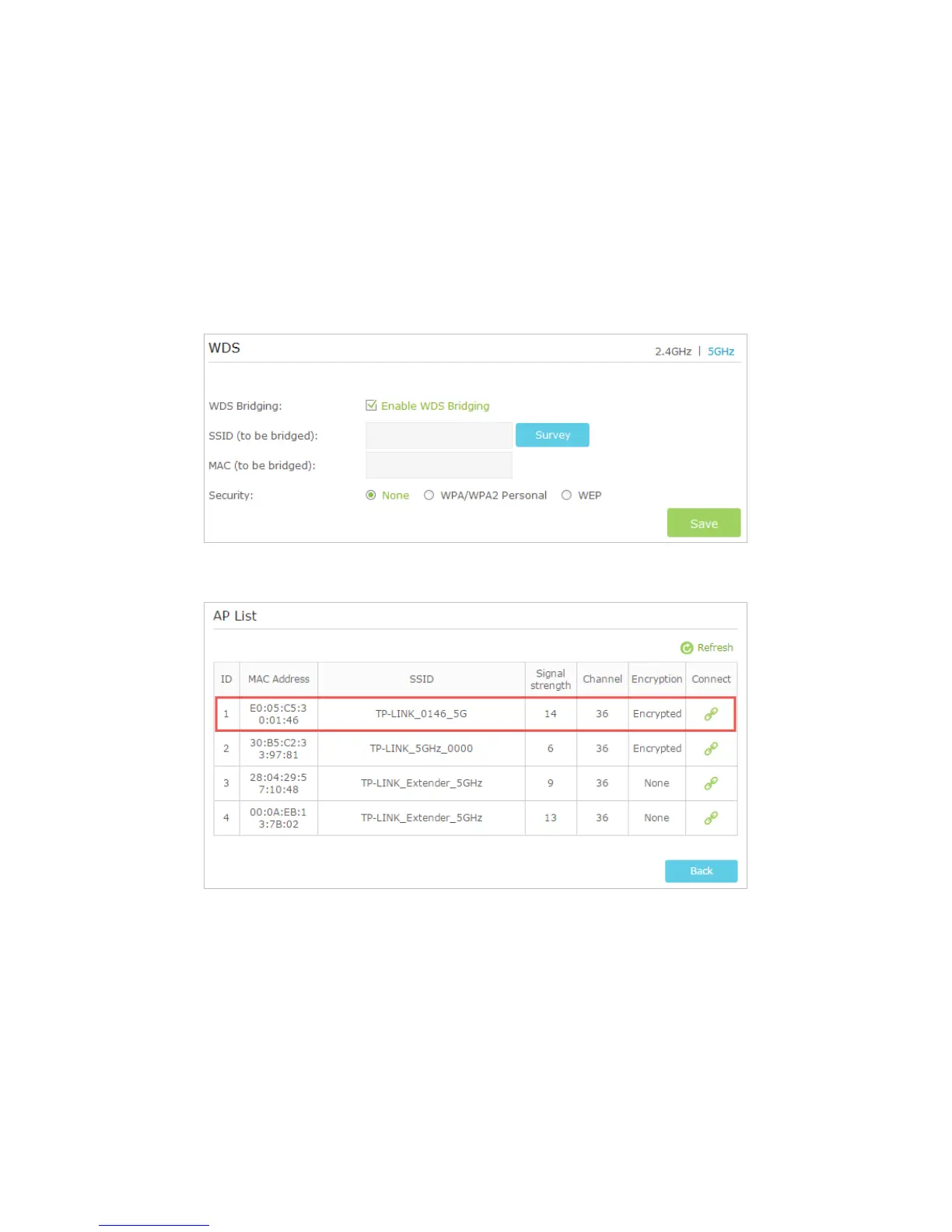
3. Go to Advanced > Wireless > Advanced Settings page and locate the WDS section.
4. Select the wireless network 2.4GHz or 5GHz appropriate to your needs and select
the checkbox to enable the WDS Bridging function.
5. Click Survey to scan all the AP devices and choose the root AP to be bridged.
6. Click the connect icon and then the SSID and MAC will be auto-populated. Configure
the Security settings as the AP you choose to be bridged.














 To Next Page