78
Chapter 12
Specify Your Network Settings
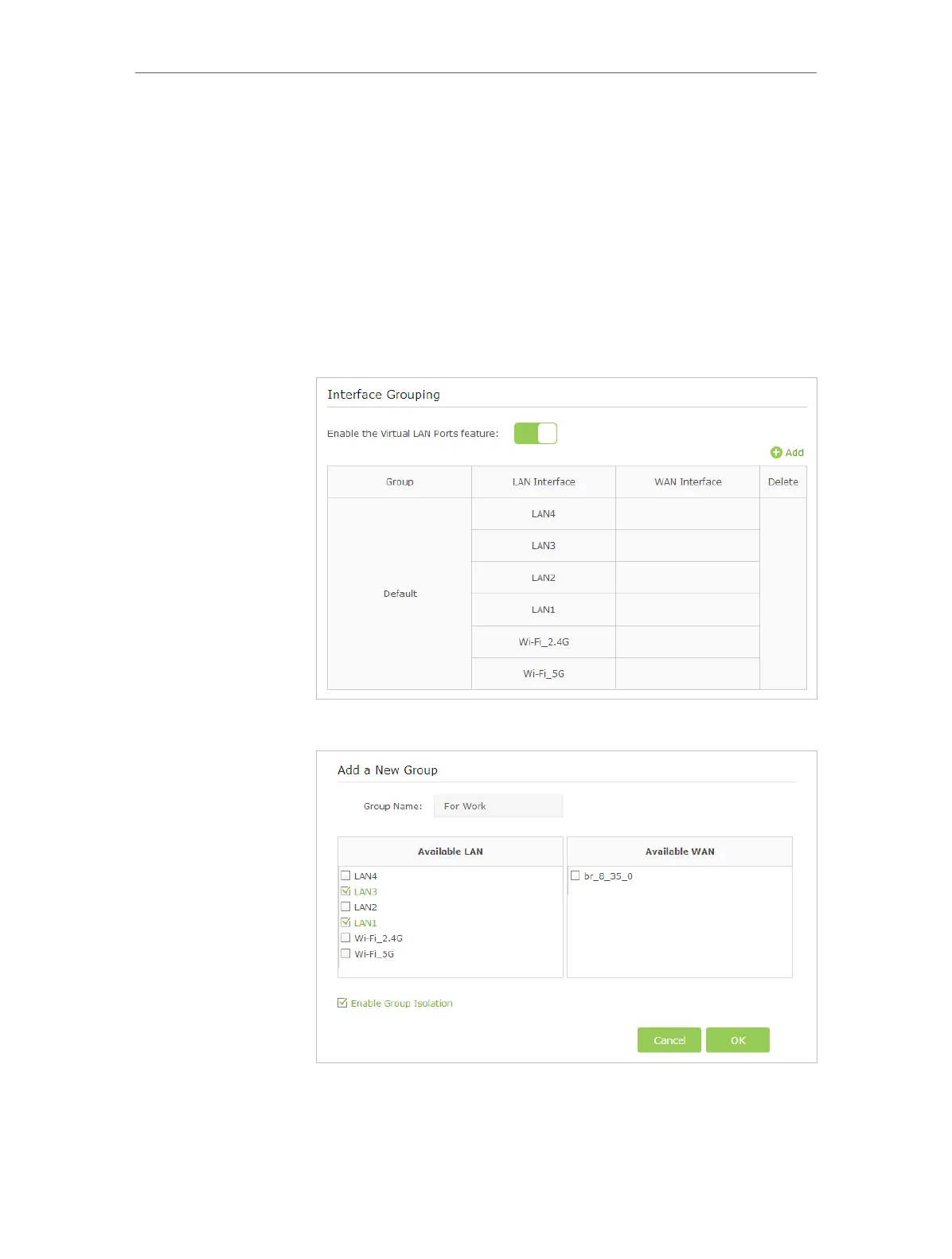
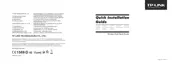
For example, in my house, devices connected to LAN1 and LAN3
are for work, while others for entertainment. I want to isolate
working devices from others while keep all devices’ access to
the Internet.
1. Visit http://tplinkmodem.net, and log in with the password
you set for the modem router.
2. Go to Advanced > Network > Interface Grouping to open the
configuration page where some interfaces can be grouped
together.
3. Click to Add a new group.
4. Name the group.
How can I
do that?












 To Next Page