24
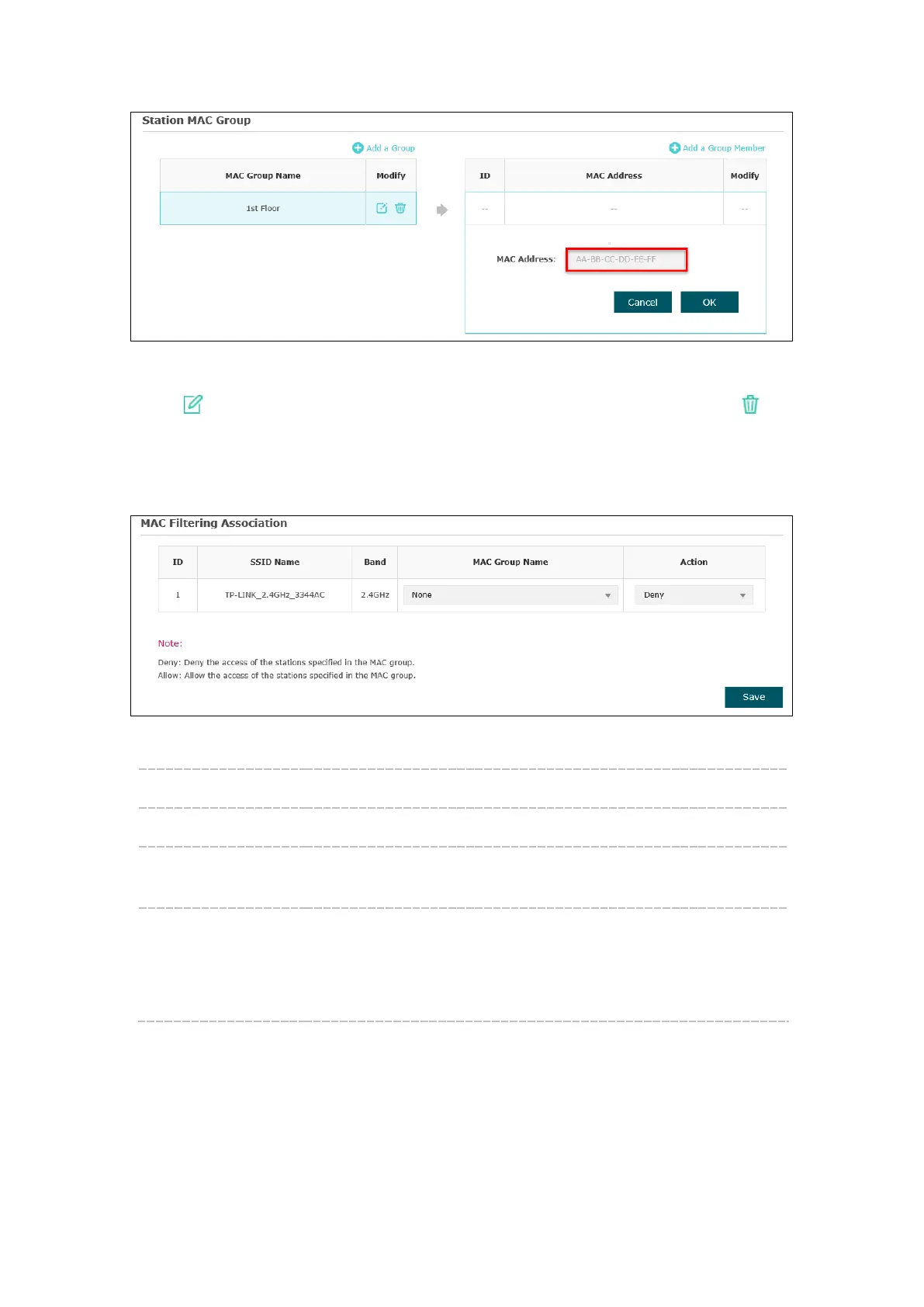
Figure 5-21 Add a Group Member
Click in Modify column to edit the MAC group name or MAC address. Click to
delete the MAC group or group member.
MAC Filtering Association
Figure 5-22 MAC Filtering Association
SSID Name: Displays the SSID of the wireless network.
Band: Displays the frequency band the wireless network operates at.
MAC Group Name: Select a MAC group from the drop-down list to allow or deny its
members to access the wireless network.
Action:
Allow: Allow the access of the stations specified in the MAC
group.
Deny: Deny the access of the stations specified in the MAC
group.








 To Next Page