20
Chapter 4
Set Up Internet Connection
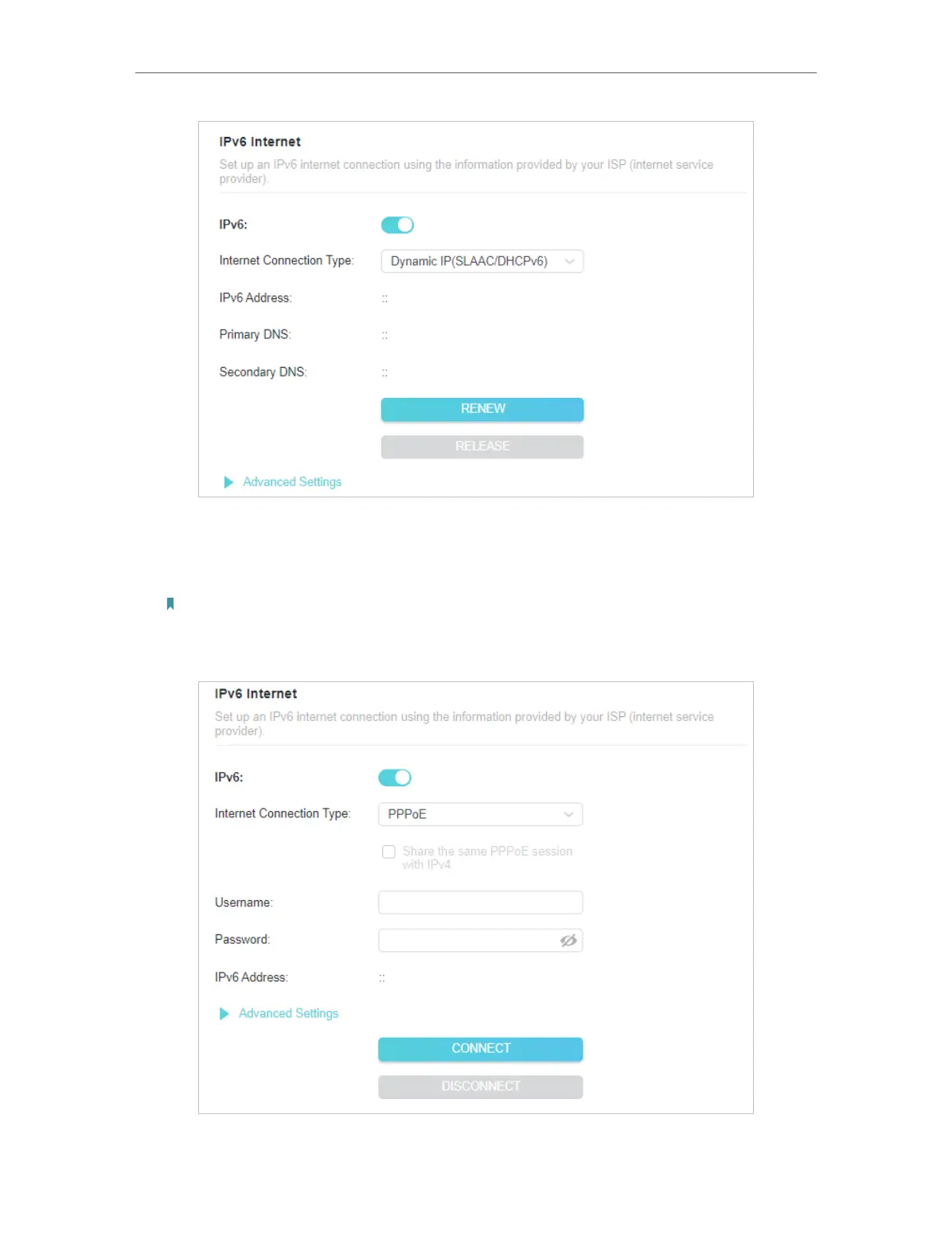
3 ) PPPoE: By default, the router uses the IPv4 account to connect to the IPv6
server. Click Advanced Settings to input further information if your ISP requires.
Click SAVE and then click CONNECT.
Note:
If your ISP provides two separate accounts for the IPv4 and IPv6 connections, manually enter the username and
password for the IPv6 connection.










 To Next Page