21
Chapter 4
Set Up Internet Connection
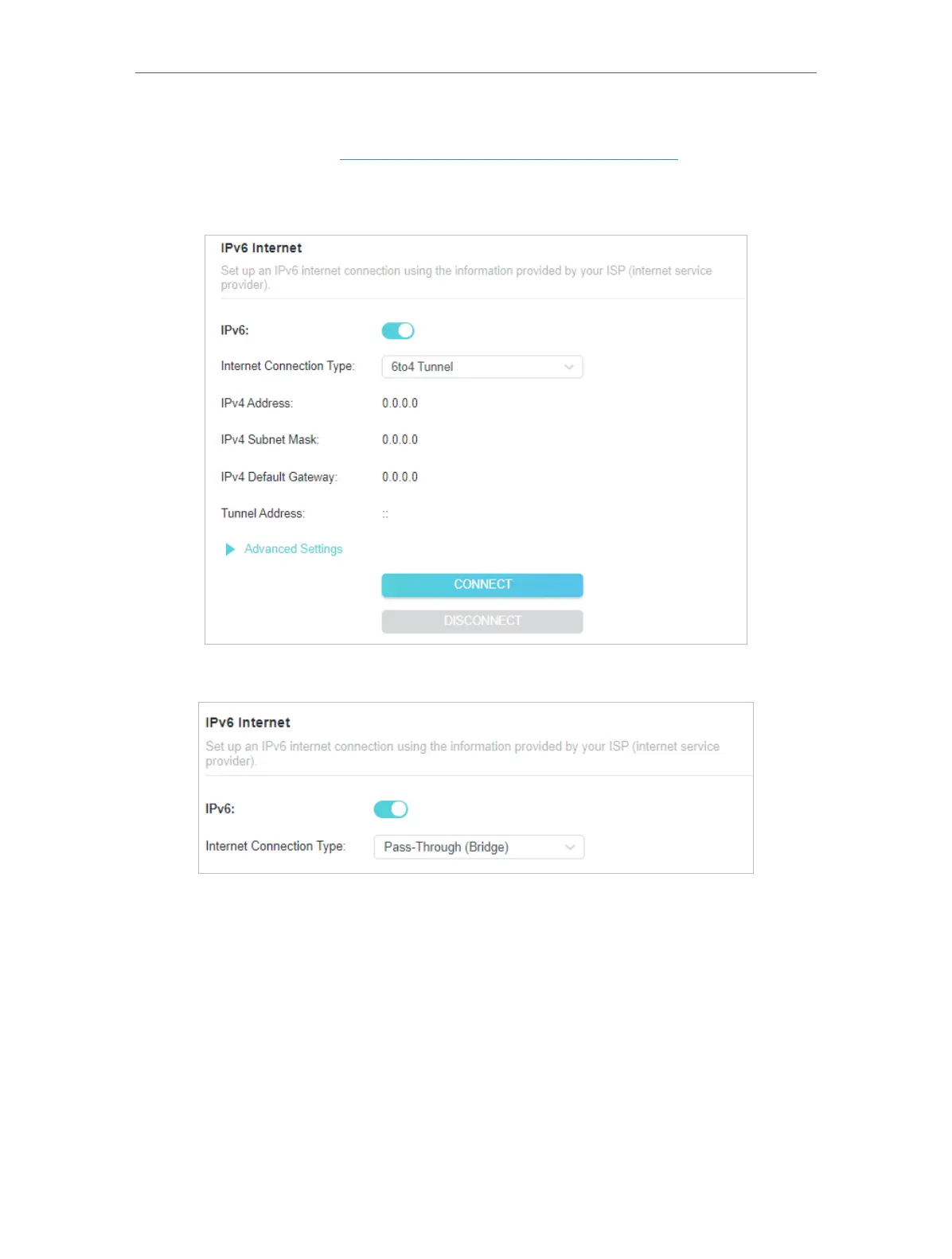
4 ) 6to4 Tunnel: An IPv4 internet connection type is a prerequisite for this
connection type (Manually Set Up Your Internet Connection). Click Advanced
Settings to input further information if your ISP requires. Click SAVE and then
click CONNECT.
5 ) Pass-Through (Bridge): Click SAVE and skip to Step 6.
5. Configure LAN ports. Windows users are recommended to choose from DHCPv6 and
SLAAC+Stateless DHCP. Fill in Address Prefix provided by your ISP, and click SAVE .











 To Next Page