92
Chapter 15
VPN Server&Client
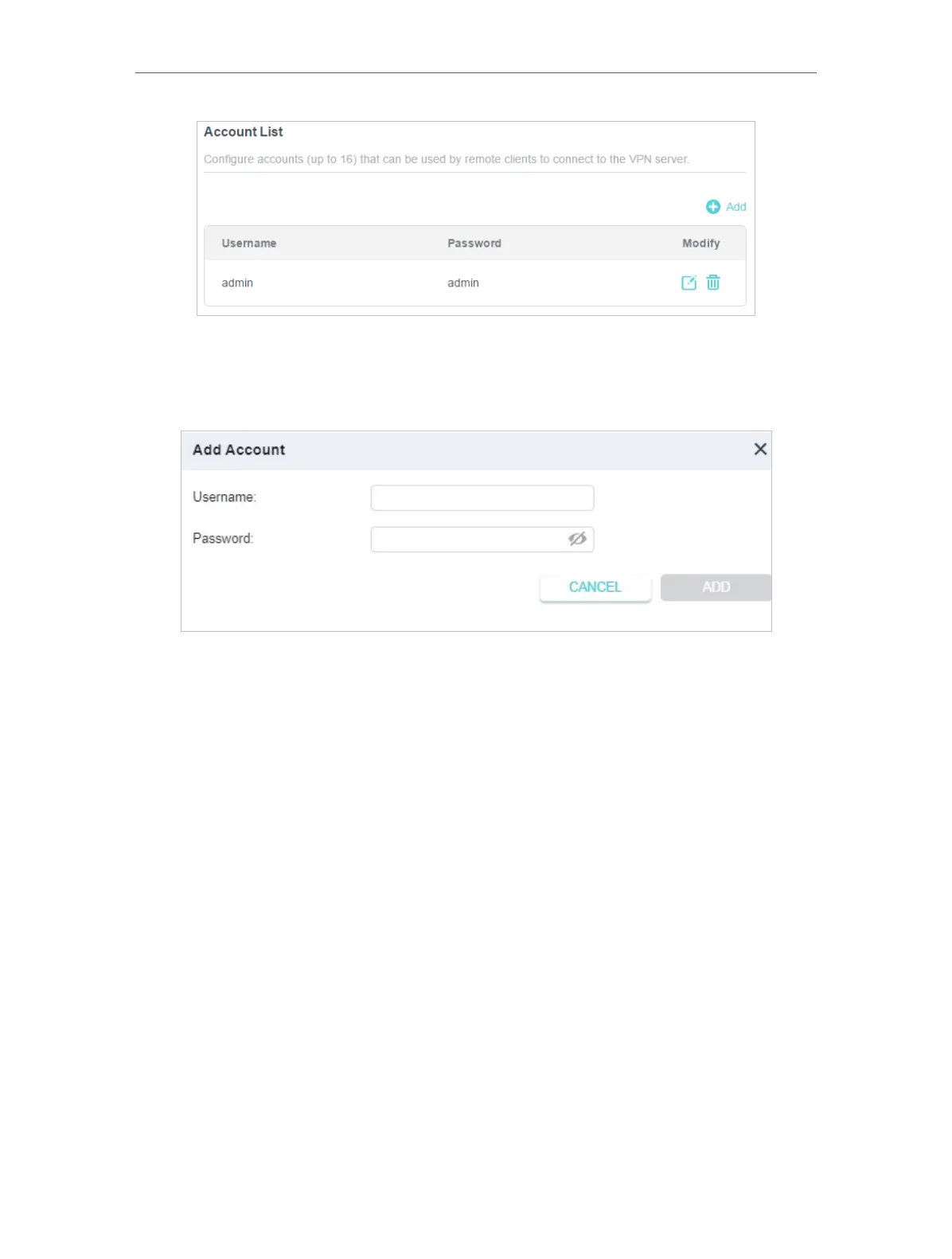
4 ) Click Add.
5 ) Enter the Username and Password to authenticate devices to the L2TP/IPSec
VPN Server.
6 ) Click ADD.
Step 2. Configure L2TP/IPSec VPN Connection on Your Remote Device
The remote device can use the Windows or Mac OS built-in L2TP/IPSec software or
a third-party L2TP/IPSec software to connect to L2TP/IPSec Server. Here we use the
Windows built-in L2TP/IPSec software as an example.
1. Go to Start > Control Panel > Network and Internet > Network and Sharing Center.
2. Select Set up a new connection or network.














 To Next Page