TD-W8950ND 150Mbps Wireless N ADSL2+ Modem Router User Guide
port will be redirected to the computer specified by the server IP. Any PC that was used for a
virtual server must have a static or reserved IP Address because its IP Address may change when
using the DHCP function.
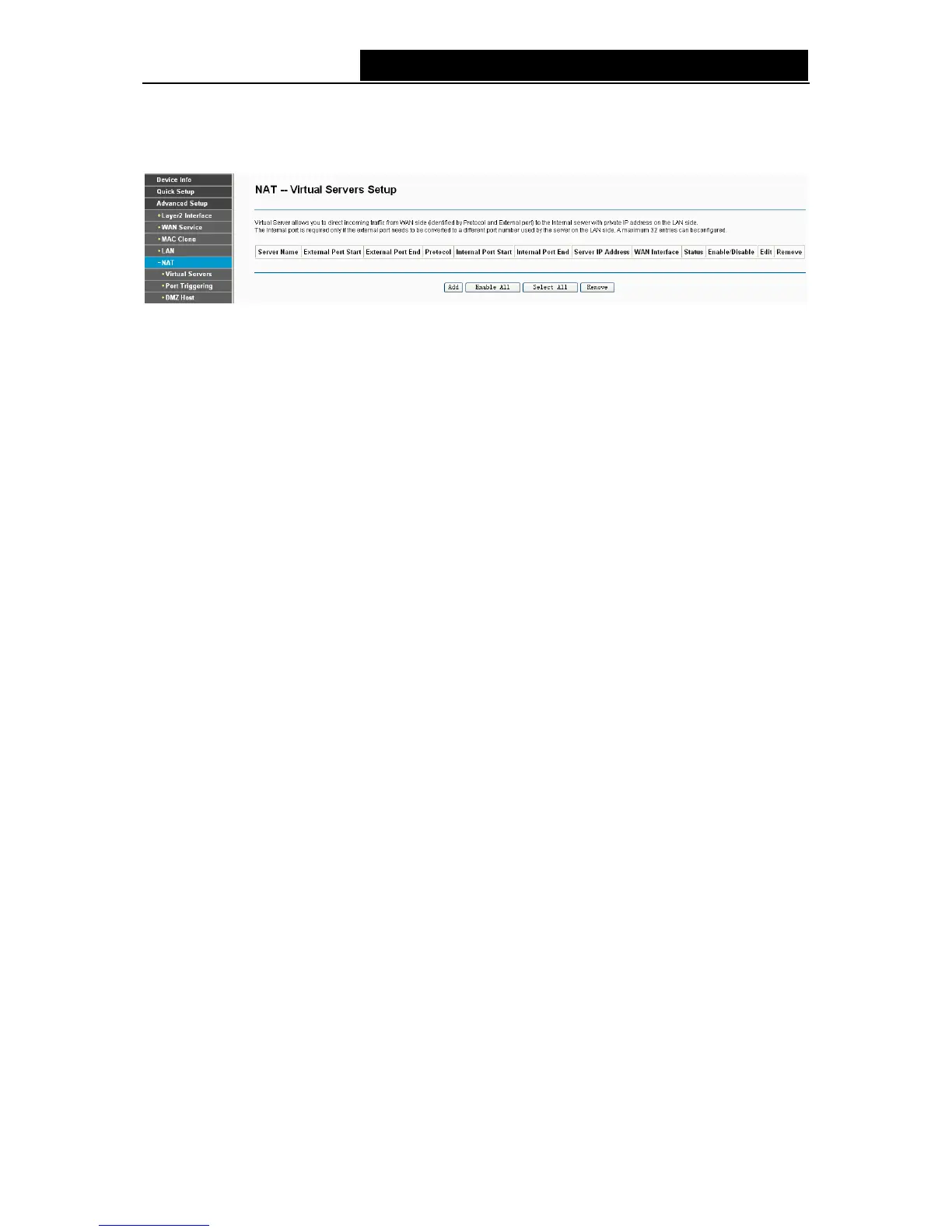
Figure 4-25
¾ Virtual Server Table: The table indicates the information about the Virtual Server entries.
• Server Name: This is the name of the Virtual Server. It is exclusive and must be filled in.
• External Port Start: The base number of External Ports. You can type a service port or
End: The end number of External Ports. You can type a service port or
tart: The base number of Internal Ports. You can type a service port or
ort End: The end number of Internal Ports. You can type a service port or leave
.
providing the service application.
) and then click the Remove
ing entry will be deleted in the table.
, and then you will see the new
Virtual Server in the next screen as shown in Figure 4-26.
leave it blank.
• External Port
leave it blank.
• Protocol: The protocol used for this application, TCP, UDP, or TCP/UDP.
• Internal Port S
leave it blank.
• Internal P
it blank.
• Server IP Address: The IP Address of the PC providing the service application
• WAN Interface: The WAN Service Interface
¾ Add: Click the Add button to add a new entry.
¾ Remove: Select the check box in the table (shown in Figure 4-25
button, then the correspond
To add a virtual server entry:
1. Click the Add button on the preceding screen Figure 4-25
35



 To Next Page