TD-W8950ND 150Mbps Wireless N ADSL2+ Modem Router User Guide
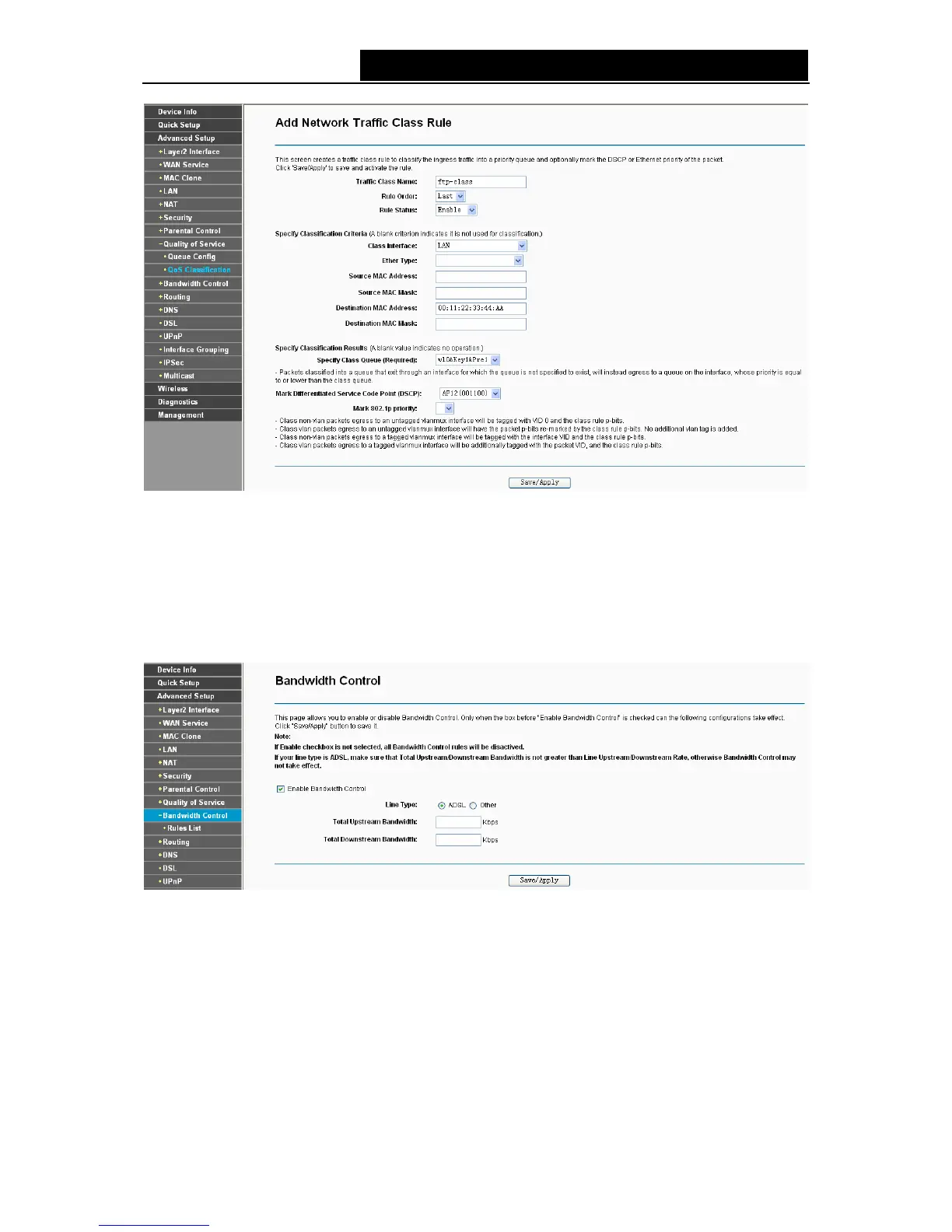
Figure 4-45
After you specify the condition, click Save/Apply to save the entry.
4.4.9 Bandwidth Control
Choose “Advanced Setup”Æ“Bandwidth Control” and then you will see the screen as shown in
Figure 4-46. This page allows you to enable this function and to configure the value of Total
Upstream/Downstream Bandwidth.
Figure 4-46
¾ Enable Bandwidth Control: Check this box to enable the Bandwidth Control function.
¾ Total Upstream Bandwidth (Kbps): Enter the upload speed through the WAN port.
¾ Total Downstream Bandwidth (Kbps): Enter the download speed through the WAN port.
¾ Save/Apply: Click this button to make the configuration take effect.
47



 To Next Page