TD-W8950ND 150Mbps Wireless N ADSL2+ Modem Router User Guide
)
Note:
You could also use other VPN modem routers to set VPN tunnels with TD-W8950ND.
TD-W8950ND supports up to 10 VPN tunnels simultaneously.
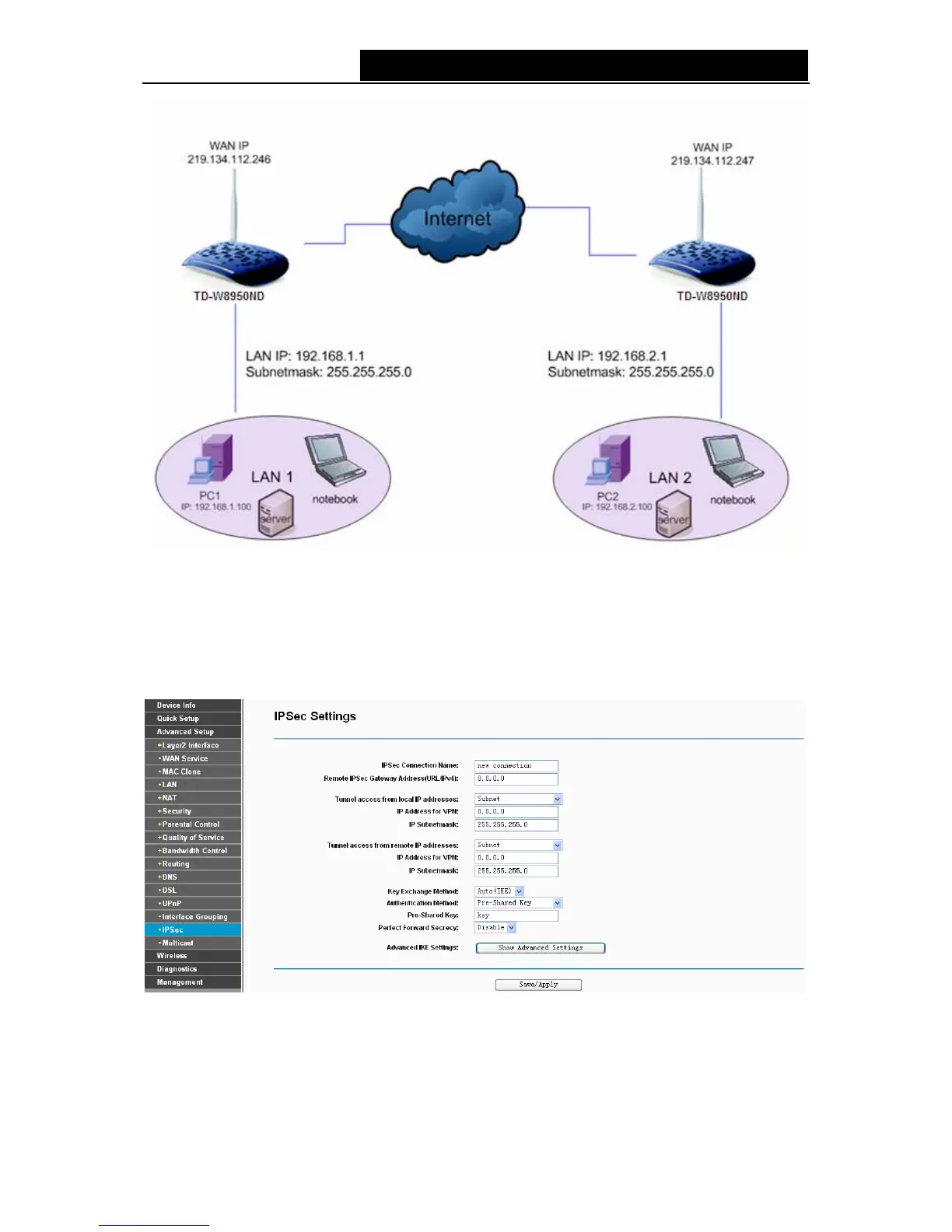
Click Add New Connection in Figure 4-62 and then you will enter the screen shown in Figure
4-63.
Figure 4-63
¾ IPSec Connection Name: Enter a name for your VPN.
¾ Remote IPSec Gateway Address (IP or Domain Name): Enter the destination gateway IP
address in the box which is the public WAN IP or Domain Name of the remote VPN server
57



 To Next Page