TD-W8968 300Mbps Wireless N USB ADSL2+ Modem Router User Guide
15
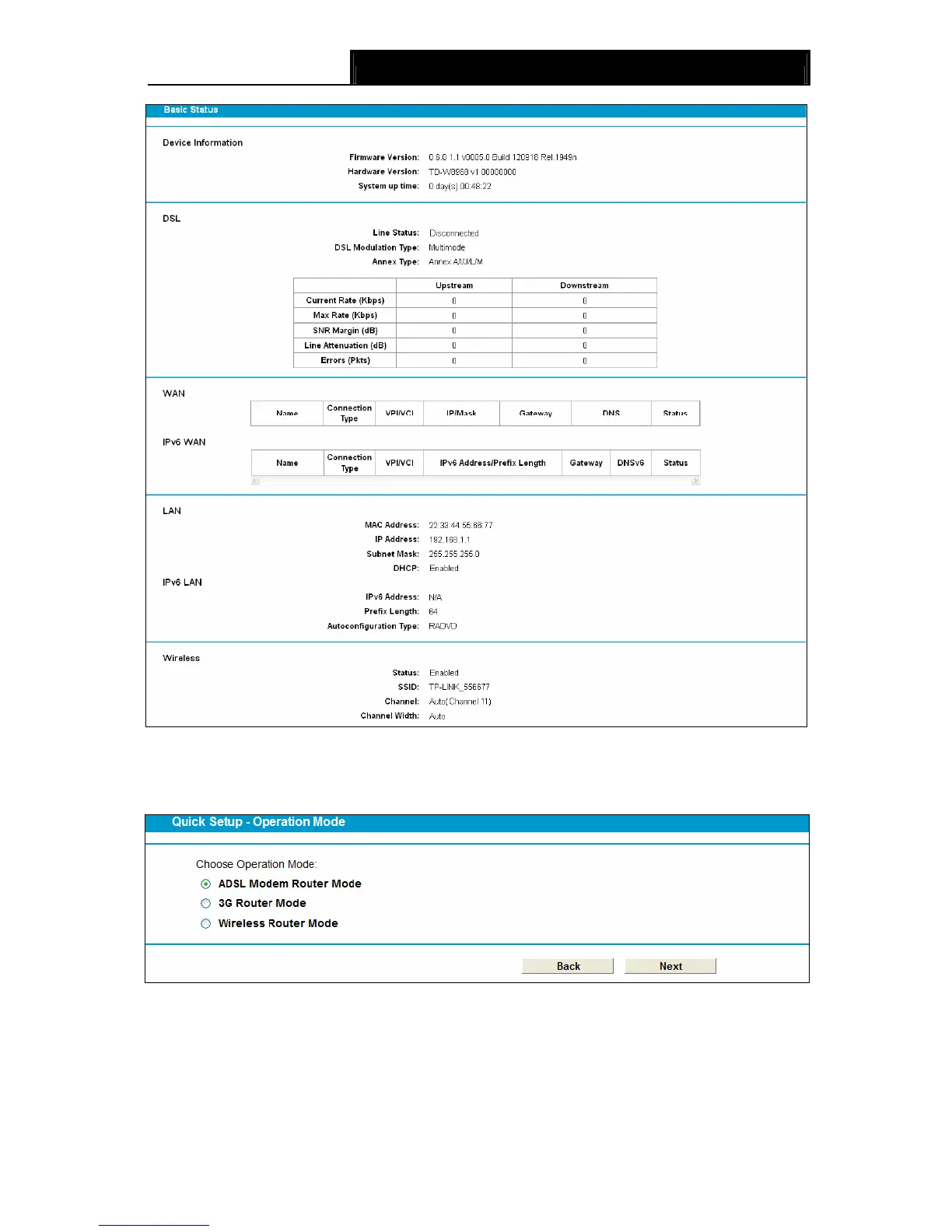
Figure 3-9
3. The modem router supports three modes: ADSL Modem Router Mode, 3G Router Mode
and Wireless Router Mode. Choose your desired mode and then click Next.
Figure 3-10
¾ ADSL Modem Router Mode: In this mode, the device enables multi-users to share Internet
via ADSL using its ADSL port and share it wirelessly at 300Mbps wireless 802.11n speeds.
¾ 3G Router Mode: In this mode, the device allows multi-users to share a 3G mobile broadband
connection via wired or wireless connection.









 To Next Page