14
Chapter 4
Set Up Internet Connections
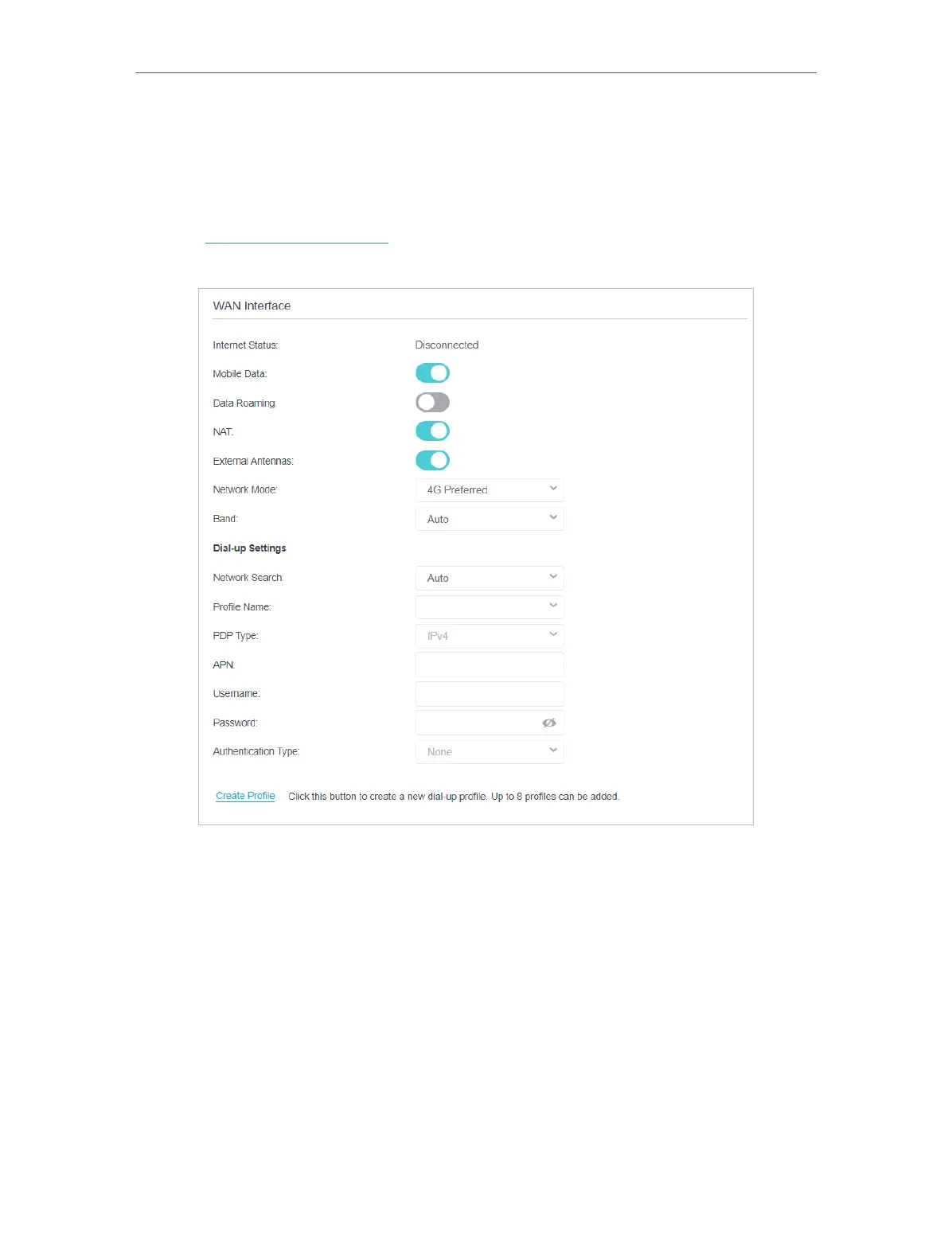
4. 2. Create a Connection Profile
If your ISP settings are not detected by the router, you can create an internet connection
profile by following the steps below:
1. Visit http://tplinkmodem.net, and log in with the password you set for the router.
2. Go to Advanced > Network > Internet page.
3. Click Create Profile.






 To Next Page