5
Chapter 1
Get to Know Your 4G LTE Router
Item Description
POWER Port For connecting the router to power socket via the provided power adapter.
LAN1/WAN, LAN2
For connecting to your PCs or other Ethernet network devices.
In wireless router mode, the LAN2/WAN port is used for connecting to a Cable/FTTH/
VDSL/ADSL device.
RESET/WPS
Press and hold this button until the Power LED starts flashing to reset the router to its
factory default settings.
To enable the WPS function, press this button about 2 seconds. If you have a WPS-
supported device, you can press this button to quickly establish connection between the
router and the client device.
External Antenna Ports
For connecting external antennas (not provided). For the external antennas to work
indtead of the router’s internal antennas, you need to enable external antennas on the
web page.
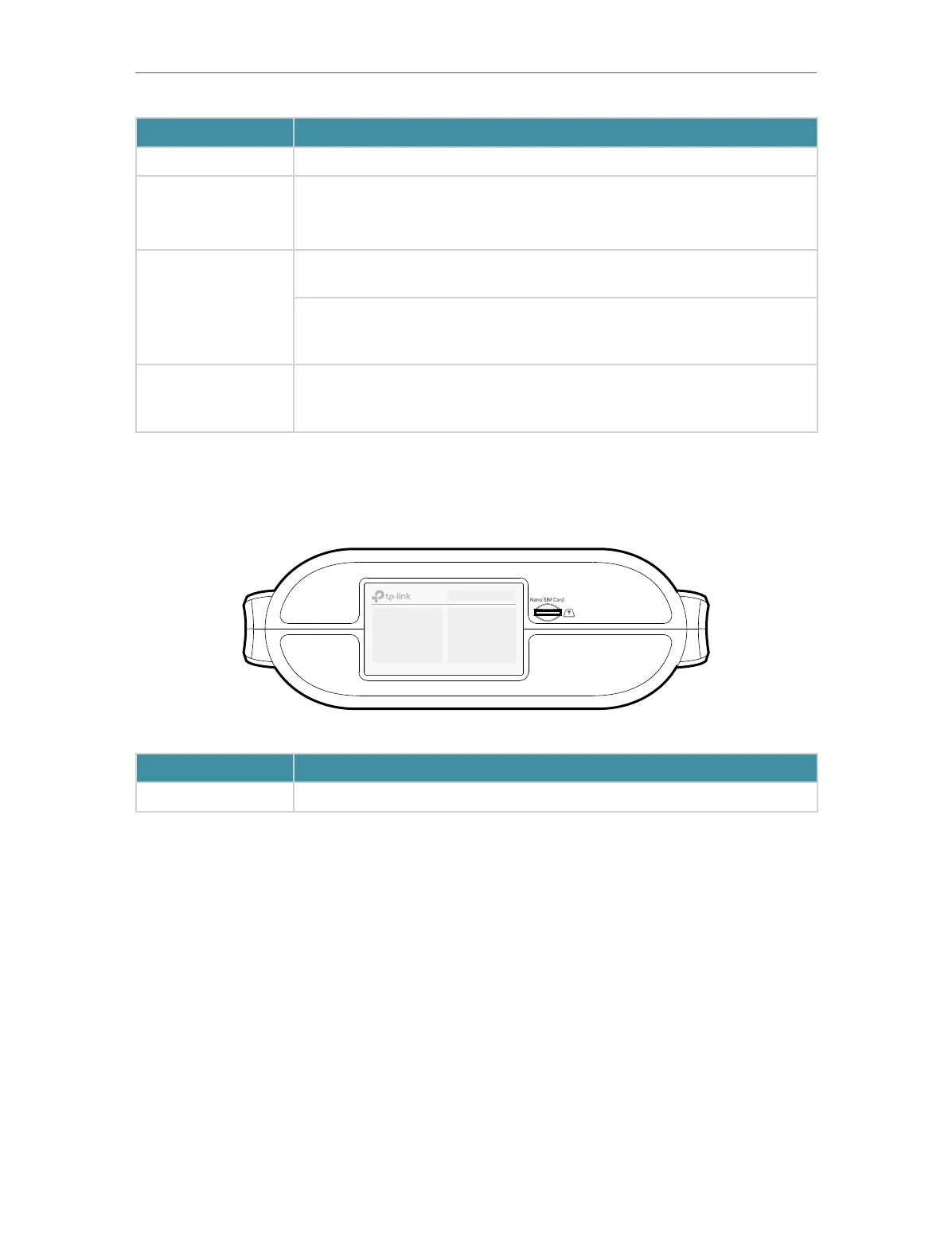
1. 2. 3. Bottom Panel
Item Description
Nano SIM Card Slot For holding the Nano SIM card to share internet.






 To Next Page