74
Chapter 12
Administrate Your Network
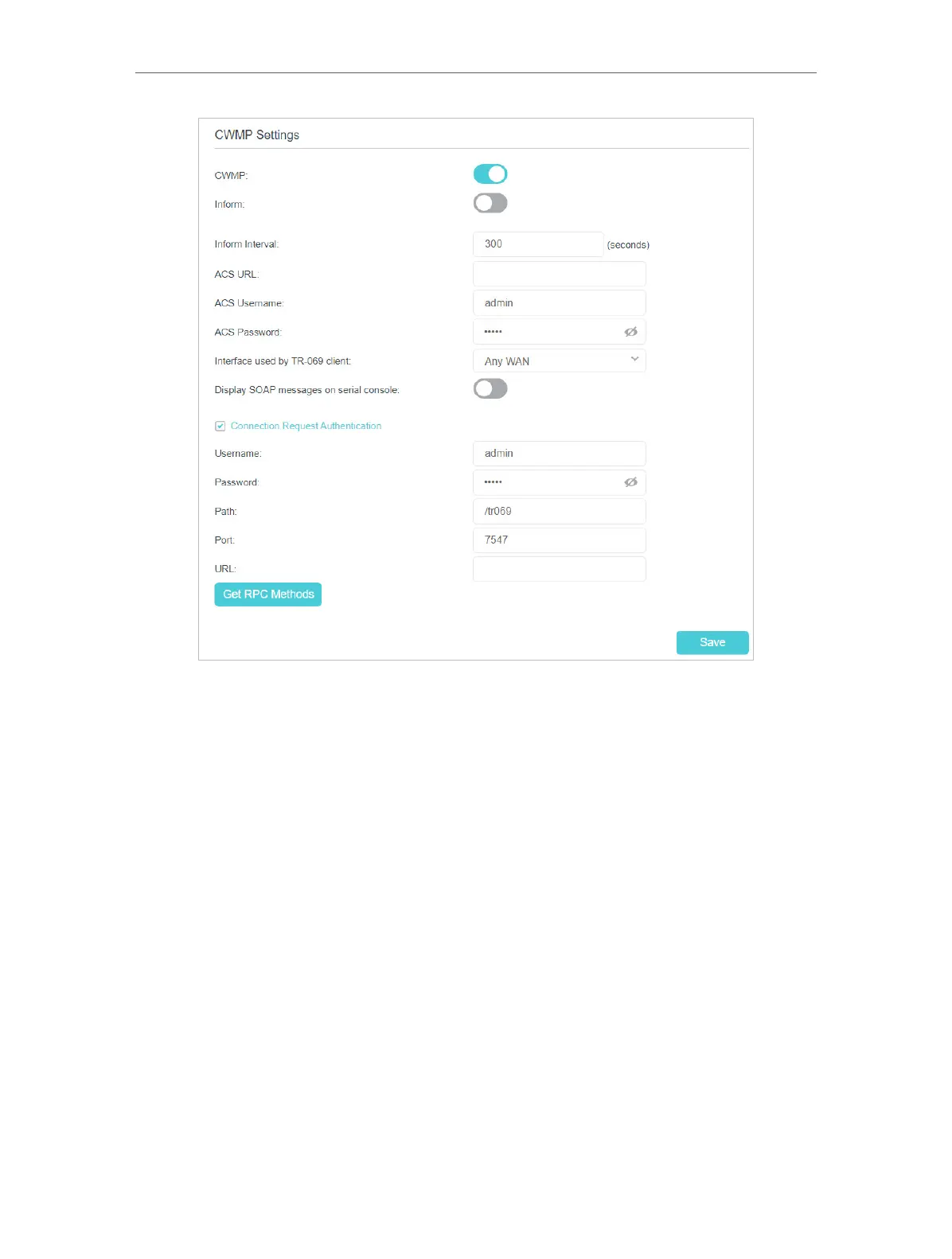
4. If you want to send an Inform message to the ACS (Auto Configuration Server)
periodically, enable Inform and set the Inform Interval.
5. Enter the ACS URL, username and password provided by your ISP.
6. Select the interface used by TR-069 client.
7. Determine whether to display SOAP messages on serial console or not.
8. Select the checkbox Connection Request Authentication to enable authentication
for the connection request. Enter the username and password for the ACS server
to log into the router. Then enter the path, port, and URL that connects to the ACS
server.
9. Click Get RPC Methods to get the methods that support CWMP.
10. Save the settings.


 To Next Page
 Loading...