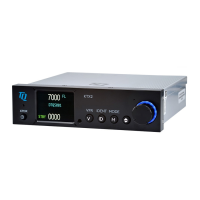
TQ Aviation KTX2.0300
EASA.AP445 MAN
KTX2.A-MAN.0202.en.docx Page 19 of 49
© TQ-Systems GmbH. All information contained in this documents have to be treated strictly confidential. The transfer of presentations and know-how to third parties
requires the prior written consent of TQ-Systems GmbH.
2.2.
Adjustable
parameters in operation mode
2.2.1.
Flight
ID
To modify the Flight ID during operation, push the ID button for at least 3 seconds.
The parameters can be adjusted in the same way like described in chapter 3.1.2.
2.2.2. Flight ID
To modify the display brightness during operation, push the VFR button for at least 3 sec-
onds.
The menu appears, brightness can be adjusted by turning and pushing the rotary knob in the
same way as described in setup menu (see chap. 2.1.1).


 To Next Page