Hygiene Equipment
Designed for People
28
User instructions
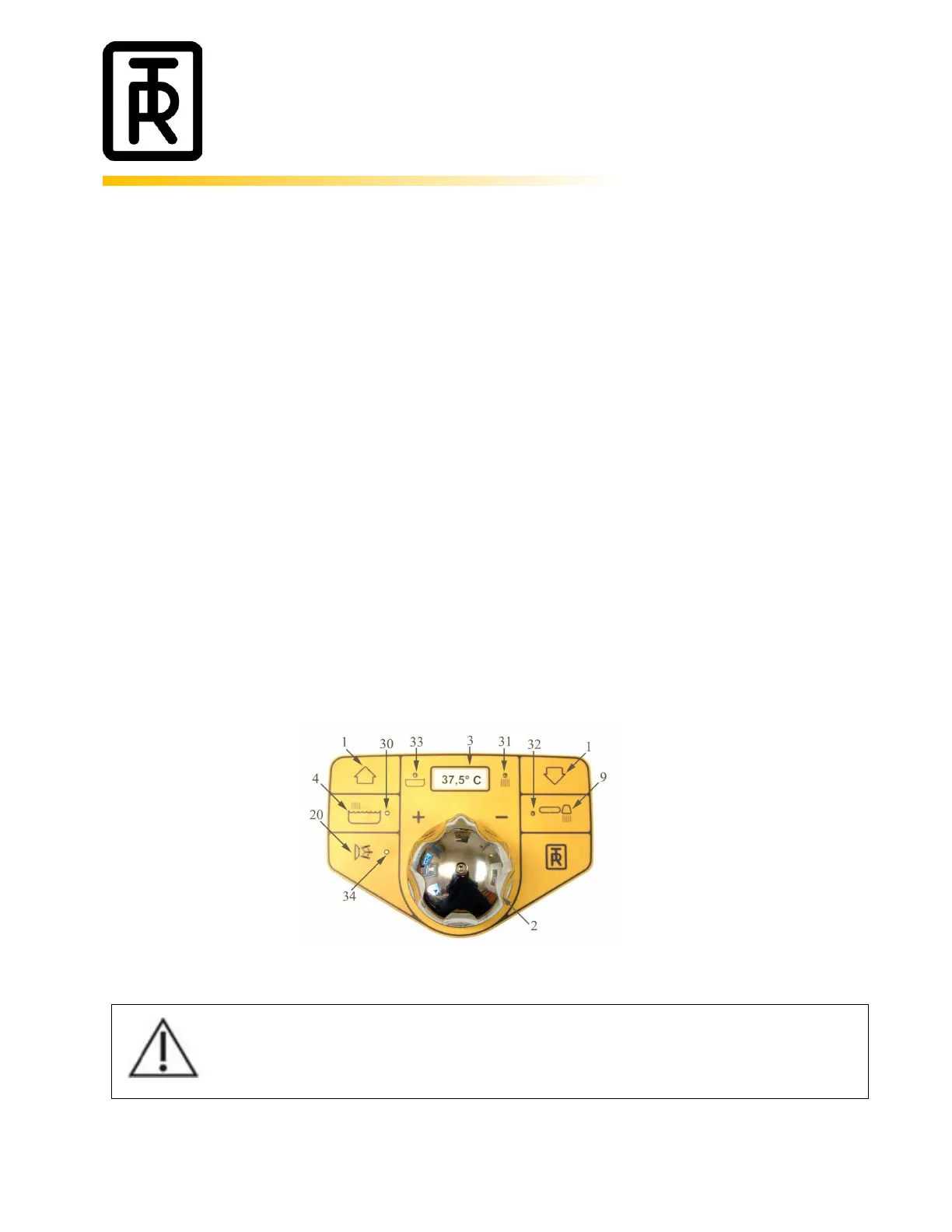
TR 900A (Autofill)/-SS, -C, -CW - How to fill the bathtub with water:
- Turn the overflow valve knob to close the drain plug.
- Start filling the tub with water by pressing the tub filling button (4). During the tub filling a Green
light (30) will be lit.
- The Red “running water” light (31) says that temperatures shown on the digital thermometer is the
tub filling temperature.
- If necessary, adjust the outlet water temperature by turning the temperature knob (2) on the
bathtub panel. Maximum outlet temperature from the thermostatic mixer is factory pre-set to
43°C.
- When the water reaches the temperature sensor in the tub the digital thermometer (3) will show
the water temperature in the tub and the light (33) will inform that the Digital thermometer shows
the water temperature in the tub.
- The tub filling will shut off when the water reaches the “waterline” level sensor in the tub (+1
minute). The Green light and the Red light will be switched off at the same time.
- Press the tub filling button (4) again and the tub filling will start again and work for 1
minute/press. The Green light will flash. After 1 minute the tub filling stops.
- If more water is needed, press the tub filling (4) again.
- It is always possible to turn the tub filling off by pressing the tub filling button (4).
- Always check the water temperature physically, by hand or with a thermometer during the filling
process to ensure that the thermostatic mixer is working properly.
Always check the water temperature by hand or a bath thermometer before lowering the
patient into the bath. This to prevent patients from being scalded or shocked by hot or cold
water.



 To Next Page