Hygiene Equipment
Designed for People
31
User instructions
TR 900A (Autofill)/-SS, -C, CW – Whirlpool (-CW)
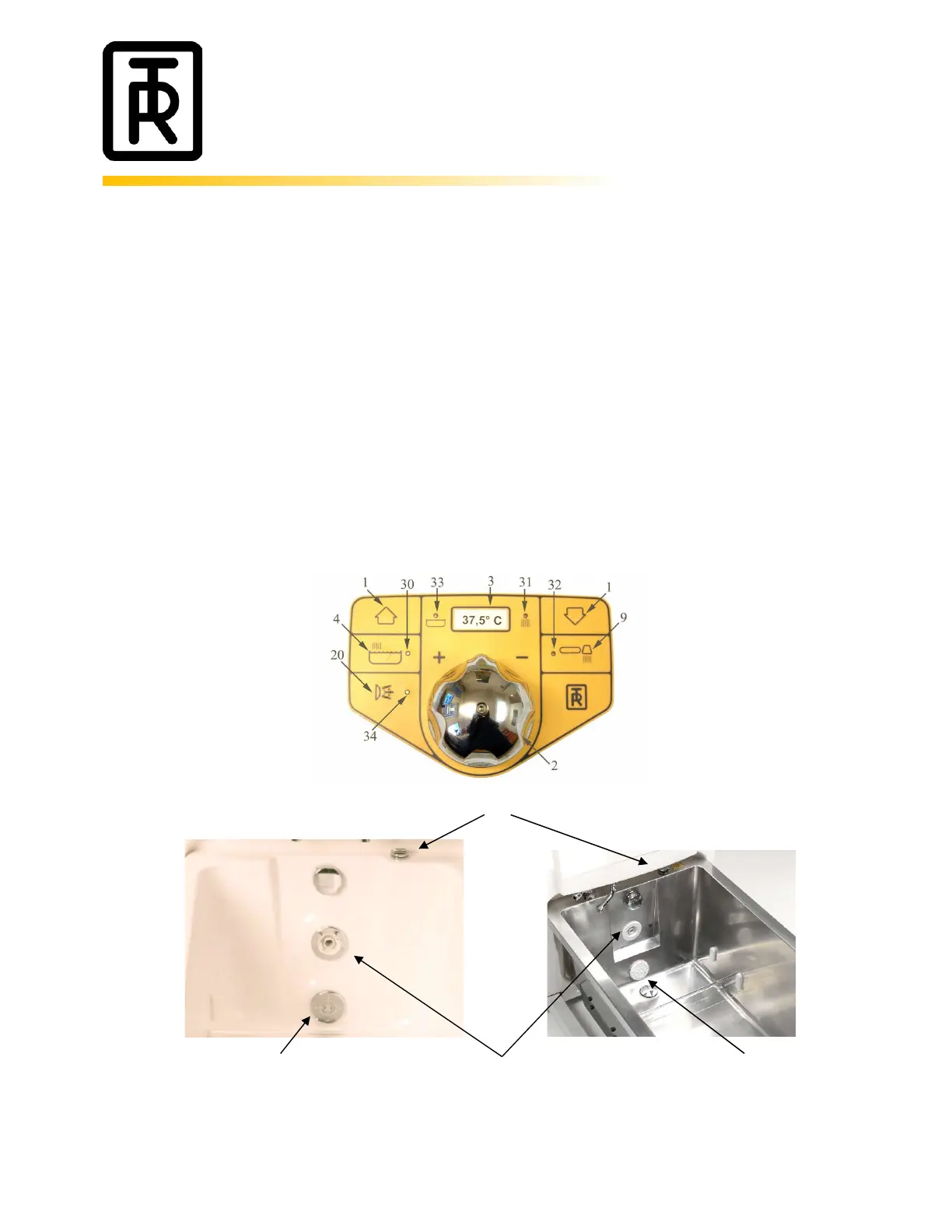
The Whirlpool system allows you to regulate both waterflow directions and quantity of air.
- Make sure that the Whirlpool jet is fully open. If necessary, turn the disc around the Whirlpool jet
counterclockwise to open.
- Make sure that the Whirlpool inlet safety screen is in place. Never start the Whirlpool if the
Whirlpool inlet safety screen is not in place.
- The direction of the Whirlpool jet can manually be adjusted up & down and from side to side.
- START the Whirlpool pump by pressing the Whirlpool button (20). LED light (34) will be lit.
- STOP the Whirlpool pump by pressing the Whirlpool button (20). LED light (34) will be switched off.
- Adjust the Whirlpool stream with the Air control (turn clockwise or counterclockwise).
Whirlpool inlet safety screen
Whirlpool inlet safety screen



 To Next Page