144
Backlash
NOTE: Always set backlash prior to any other
shimming.
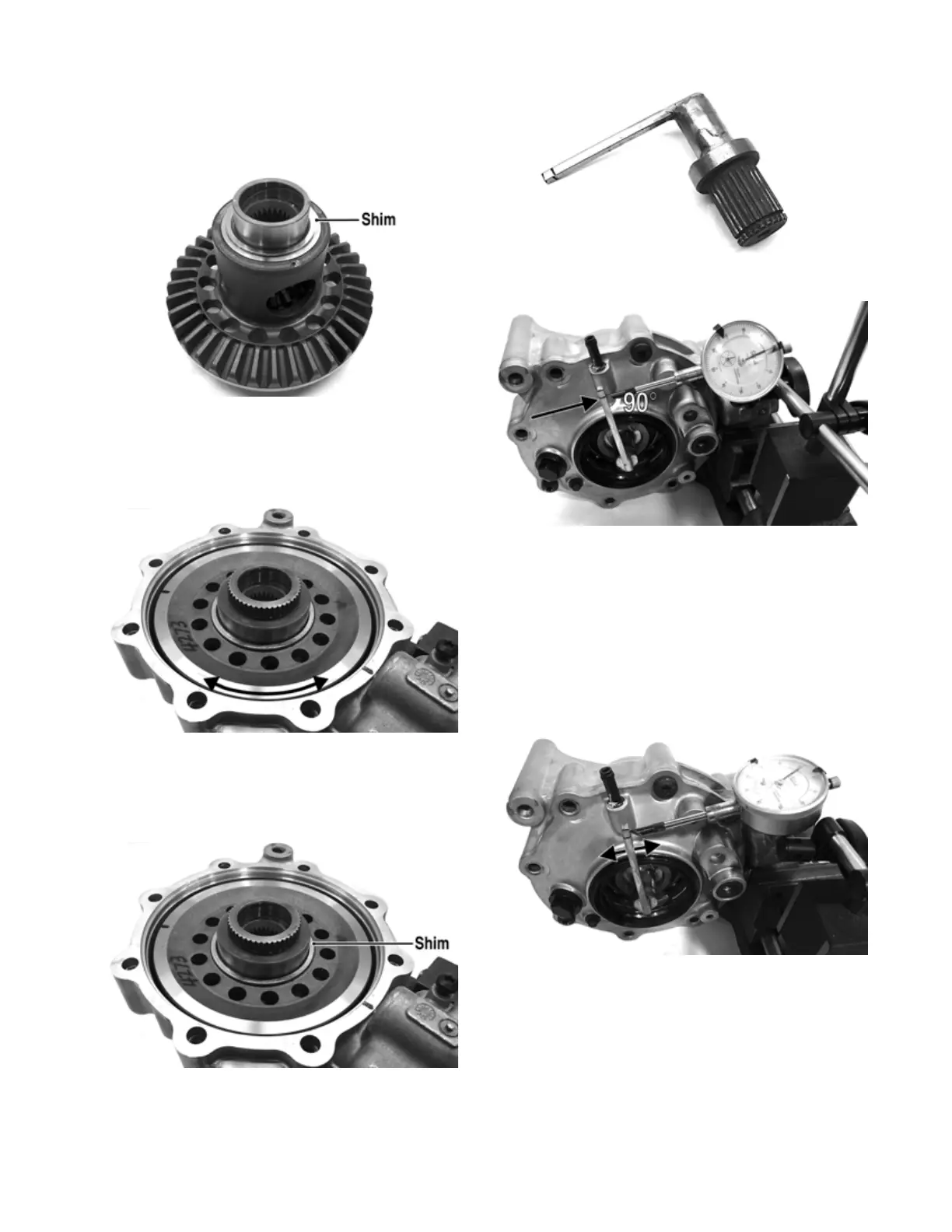
1. Install the existing shim or a 0.051-0.055-in. shim on
the gear case side of the ring gear assembly.
GC031A
2. Install the ring gear with shim in the gear case; then
while holding the pinion stationary, rock the ring
gear forward and back to determine if any backlash
exists. If no backlash exists, install a thicker shim
and recheck.
GC036A
3. Install the existing shim or a 0.063 in. shim on the
cover side of the ring gear; then place the assembled
gear case cover onto the gear case and secure with
three cap screws. Tighten evenly using a crisscross
pattern.
GC036B
4. Place the appropriate tool into the splines of the ring
gear and install a dial indicator making sure it con-
tacts the gauge at a 90° angle and on the index mark.
GC040
GC039A
5. Zero the dial indicator; then while holding the pinion
stationary, rock the ring gear assembly forward and
back and record the backlash. Backlash must be
0.011-0.015 in. If backlash is within specifications,
proceed to Ring Gear End-Play. If backlash is not
within specifications, increase shim thickness to
increase backlash or decrease shim thickness to
decrease backlash.
NOTE: Higher backlash settings usually result in
quieter gear operation.
GC037A
Ring Gear End-Play
After correcting backlash, ring gear end-play can be
adjusted. To adjust end-play, use the following proce-
dure.
1. Secure the gear case in a holding fixture with the
cover side up; then install a dial indicator contacting
the ring gear axle flange.


 To Next Page